

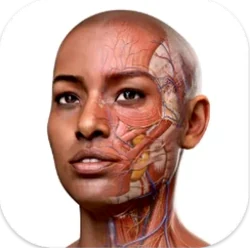
Complete Anatomy 12.6.0 Mac
More than 700 screens make up the atlas inside Complete Anatomy 11.5, the macOS learning platform from 3D4Medical (Elsevier). The app loads interactive 3D models of the human body that a student or clinician can rotate, peel apart layer by layer, and examine alongside dynamic cross-sections. Real-time muscle movement shows flexion and extension as it happens, while the female anatomy model and point-of-care ultrasound modules broaden what a single reference can cover.
| Detail | Note |
|---|---|
| Developer | 3D4Medical from Elsevier |
| Architecture | Apple Silicon and Intel 64-bit |
| Requires | macOS 11 or later; signed-in account |
On a Mac desk, the app sits alongside reference managers, PDF readers and note-taking tools. A dissection course module can run on screen while typed notes go into a separate window; the AR mode hands a different view to an iPad when a quick demonstration is needed. The interface speaks English, German, Spanish, French and Simplified Chinese, so the same installation serves a multilingual lab group. No number of static plates matches what a rotatable, zoomable model offers when a lecture slide leaves a structure's spatial relationship unclear, and the clinical-correlation overlays tie the visuals to what a practitioner actually encounters.
Beginners often treat the model like a static textbook plate — zoom in, glance, move on. That misses most of the value. Each structure responds to a long press: isolate it, fade everything else, and the screen shows origin, insertion, innervation and blood supply in a sidebar that updates with the selection. Skipping that panel turns a 3d atlas of anatomy into a spinning picture book instead of a study tool.
A second early mistake is ignoring the dissection-course sequencing. New users sometimes jump straight to the heart or the cranial nerves before working through the regional layers the courses scaffold. The app builds from superficial to deep in the thorax, abdomen, pelvis and limbs, and jumping ahead means a student sees structures without the connective-tissue context that holds them in place. Taking twenty minutes to follow a single region's layers pays back in lab practicals.
The radiology view catches people out too. It sits as a toggle alongside the 3D model, not as a separate module, and beginners often leave it off while memorizing. Flipping it on early — even for five minutes per session — trains the eye to map a grayscale axial slice onto the colored model beside it, which is the exact skill a clinical rotation demands. The 1,500 clinical videos reinforce that same translation from illustration to imaging.
Splitting the screen between a dissectible 3D view and your notes
Complete Anatomy works as a visual hub between several other apps on a Mac. A common configuration puts the dissectible 3D view on the left half of the screen and a note-taking app — Bear, Obsidian, or plain TextEdit — on the right. Screenshot a pinned structure, drop it into notes, annotate with lecture commentary. The app itself does not record notes inline, but the macOS screenshot tool (Command-Shift-4 with the Space bar for a clean window capture) makes that workflow fast.
When a class uses Anki or another spaced-repetition app for memorization, the 39 microscopic anatomy models fill a gap. Histology slides look abstract on a flashcard; pulling up the corresponding microscopic model alongside the card deck gives the 3D context that a 2D image strips away. Split View on macOS handles this pairing neatly, and the app's performance stays smooth on Apple Silicon Macs even with both panes active.
AirDrop connects an iPad running the AR mode to the Mac screen during group study. One person manipulates the skeleton or heart model on the iPad, walking around a table while the Mac shows the same view in high resolution for the rest of the group. This setup turns up in problem-based learning sessions where the tutor asks a student to demonstrate a motion pathway — real-time muscle movement shows the action, and the whole room reads it off the Mac display.
Three Mac atlas rivals and who already ships a female model
Three other applications sit on the same Mac bench. Human Anatomy Atlas 2025 by Visible Body shares the 3D-interactive approach and includes a similar radiology cross-reference, but its female anatomy model is a newer addition and the microscopic-model collection runs smaller. Complete Anatomy 11.5 counters with the live beating heart — a dissectible, contracting model that Visible Body's atlas does not replicate in the same dynamic form.
BioDigital Human runs in a browser, which makes it platform-agnostic but also means it depends on WebGL performance and an internet connection. Its strength is customizable pathology overlays; its weakness is that offline study on a Mac means exporting static screens. Complete Anatomy stores its models locally once downloaded, so an anatomy torrent of reference material or a spotty dorm connection does not interrupt a session. The dissection courses in Complete Anatomy also offer guided pathways that BioDigital leaves to the user to assemble.
Primal Pictures Anatomy.tv targets institutional subscriptions with a heavy focus on radiographic and cross-sectional anatomy. Its 3D models are precise but less fluid to manipulate, and the interface feels closer to a clinical workstation than a learning tool. Students who want a Complete Anatomy crack Mac setup that launches fast and responds to multitouch trackpad gestures — pinch to zoom into the brachial plexus, rotate to follow the vagus nerve — tend to stick with Complete Anatomy 11.5. The muscle-motion engine alone sets it apart: flex the elbow on screen and the biceps brachii shortens in real time, which a static labeled plate cannot show.
Version 12.6.0 arrives with a round of general bug fixes and performance improvements, the kind of housekeeping update that keeps the anatomical models and tools running smoothly on the latest Mac hardware.
- macOS 15 or later
- Apple Silicon or Intel 64-bit processor
- Version
- 12.6.0
- Download
- 867 MB
- Developer
- 3D4Medical from Elsevier
- Languages
- English, German, Spanish, Chinese (Simplified), French
- Activation
- K'ed by Antibiotics
- Compatibility
- macOS 15 or later
- Architecture
- Apple Silicon, Intel 64-bit
Sign in or open a desk account to write a letter.
No letters on this brief yet. They are read before they run.









 Top
Top