

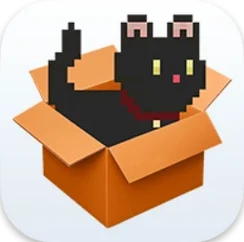
Dockitty - A Cat in Your Dock 1.3.0 Mac
Window Napper, one of the more endearing modes added to the app, lets the cat wander off the Dock, roam the screen, and settle down on top of an open application window for a nap. It is the kind of idle animation that makes Dockitty feel less like a utility and more like a small, unpredictable creature sharing your desktop.
Does the cat actually do anything?
It does more than sit still. The pixel cat reacts to clicks, follows a dragged file with its eyes, and changes behavior based on the time of day. It can sleep, run, jump, and even stage a dramatic death animation. A bath mode is included for when the cat decides it needs cleaning. The app supports running multiple cats simultaneously, so you can fill the Dock with a whole litter if you choose.
Will it get in the way of my work?
The cat can be anchored to screen edges or set to roam freely. In Window Napper mode, introduced with version 1.2.6, the cat walks across the display and parks itself atop app windows. The settings panel was modernized in this release, making it easier to dial the behavior up or down. The app runs on Apple Silicon and Intel 64-bit Macs and requires macOS 14.6 or later.
Feeding the cat: a short task walkthrough
Dragging a file onto the Dock icon is one of the quickest ways to see the cat react. Grab any loose document from the Finder — a PDF, an image, a plain text file — and pull it down to the pixel cat. The icon pauses, glances at the item, and then performs a brief eating motion before returning to whatever it was doing. It treats the gesture as a meal, which means you can "feed" it a handful of files in a row and watch the animations chain together. A practical touch: the dragged file is not altered, moved, or opened. The cat simply acknowledges the offering and moves on. If you want the cat to follow the cursor afterward, open settings and switch the roam preference to cursor-tracking, then drag the file as a kind of invitation. The cat will detach from the Dock and trail the pointer until you anchor it again.
A goose rampages across your windows, but this cat stays docked
Desktop pets on the Mac are a small category, but not an empty one. Dockitty occupies a different niche than a full-screen companion like Desktop Goose, which drops mud and memes across active windows. The goose is deliberately intrusive; Dockitty tends to stay in its lane unless you deliberately enable free-roam or Window Napper. Then there is Touchbar Pet, a tiny animal that lived exclusively in the MacBook Pro Touch Bar — a piece of hardware Apple no longer ships. Dockitty reaches the same audience on any modern Mac because it works through the Dock, which is universal. Compared with Run Cat, a menu-bar utility that shows a sprinting feline tied to CPU usage, Dockitty is not a system monitor. It is pure decoration with light interactive hooks. The pixel-art style also sets it apart from higher-resolution virtual pets that lean into 3D or vector illustration. Where those can feel out of place on a flat desktop, the 8-bit cat blends with the simple geometry of the Dock itself.
- macOS 14.6 or later
- Apple Silicon or Intel 64-bit processor
- Version
- 1.3.0
- Download
- 15 MB
- Developer
- Lazare Kolebka
- Languages
- Russian, English, German, Arabic, Vietnamese, Indonesian, Spanish, Italian, Chinese (Simplified), Korean, Polish, Portuguese, Thai, Turkish, Ukrainian, French, Hindi, Japanese
- Activation
- Not required
- Compatibility
- macOS 14.6 or later
- Architecture
- Apple Silicon, Intel 64-bit
Questions readers asked
Yes, Dockitty allows multiple cats to run simultaneously, each with its own independent behavior.
The cat reacts to the time of day and can sleep, roam the screen, or nap on top of application windows in Window Napper mode.
Dockitty supports both Apple Silicon and Intel 64-bit Macs, as long as they run macOS 14.6 or later.
Sign in or open a desk account to write a letter.
No letters on this brief yet. They are read before they run.







 Top
Top