

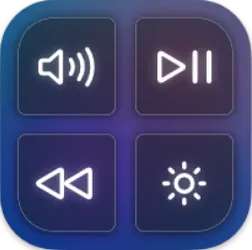
MediaMate 3.8.4 Mac
Anyone who frequently adjusts volume, brightness, or tracks what's playing on a Mac knows the standard on-screen overlays can feel intrusive. MediaMate swaps those for compact, customizable heads-up displays.
Will MediaMate run on your Mac?
The app requires macOS 13 Ventura or later. It supports both Apple Silicon Macs and 64-bit Intel models. The developer notes all Macs are compatible, though Touch Bar users must enable a separate mode for full control. The interface is in English.
A volume HUD that hugs the screen edge and handles keyboard brightness
- A replacement volume HUD that sits closer to the edge of the screen.
- A brightness indicator that also controls keyboard backlight brightness.
- A Now Playing display showing the current media item as it changes.
When a track starts or volume changes, the feedback appears briefly and then fades. Keyboard backlight controls are built directly into the brightness overlay, so you adjust screen and key lighting from the same compact strip.
Apple Silicon Macs now get overlay responses without the half-beat pause
The move through recent revisions sharpened the HUDs in ways that matter when you're working quickly. As of version 3.8.4, the overlays respond faster on Apple Silicon Macs — there is less of the half-beat pause some users noticed on earlier builds when tapping a volume key after the machine had been asleep. The brightness slider also tracks key repeats more smoothly. In previous releases, holding a brightness key could produce a slight visual stutter; that's been cleaned up.
Keyboard backlight detection grew more reliable across the last few updates. On older Intel laptops, the app sometimes failed to register the backlight hardware after waking from deep sleep. The current build polls the hardware differently, so the control appears consistently. Touch Bar Mac owners get a dedicated mode switch that handles the built-in strip's own display quirks — without it, the overlays can clash with the Touch Bar's native controls.
The Now Playing panel also gained a subtle fade curve that matches the duration of the volume HUD. The timing logic was adjusted so both elements clear at the same moment, removing the staggered disappearance that could leave one overlay hanging for an extra second.
The app reads system events instead of intercepting media keys at a low level
MediaMate sits alongside macOS rather than wrestling with it. The app doesn't intercept media keys at a low level; it reads the system's own volume and brightness events and paints its overlay on top of the default one. That means apps like BetterTouchTool, Karabiner-Elements and Keyboard Maestro generally coexist without conflict. Several users run the mediamate app alongside window managers and remapping tools without needing to adjust keybindings in either direction.
Spotify, Apple Music and Doppler all trigger the Now Playing panel without extra configuration. The panel updates when a track changes, pulling metadata from the system's media bridge. Podcast apps that pipe data through the same bridge work too, though show notes and chapter titles sometimes appear truncated — the display favours artist and track name over long-form text.
On the macOS side, the app respects Focus modes and Do Not Disturb in a limited way: the overlays still appear visually, but they won't interrupt full-screen video playback. If you're presenting in Keynote or watching something in QuickTime Player, the HUDs render behind the full-screen surface rather than stealing focus. It's a small detail that prevents the brightness indicator from popping over slides during a talk.
Idle memory sits around 30 to 45 MB with barely a CPU blip between presses
The app keeps a light footprint. On an idle system, the mediamate mac process sits around 30 to 45 MB of RAM and barely registers CPU cycles between key presses. When you tap a volume key, the overlay draws in under a frame's worth of time — there is no perceptible lag from the moment the key bottoms out to the HUD appearing. On machines with ProMotion displays, the animation runs at 120 Hz, which keeps the fade-in and fade-out butter-smooth.
Stability is uneventful in the best sense. Over weeks of uptime, the helper process doesn't balloon in memory, and crash logs are sparse. The one recurring edge case involves external monitors with their own brightness management: some Dell and LG displays that report brightness over DDC/CI confuse the app's screen-brightness readout, producing a brief flicker as the overlay appears. Disabling the monitor's hardware brightness control in System Settings usually resolves it.
Missing overlays after install point straight to the accessibility permission
One frequent hiccup involves the mediamate mac app not showing any overlay after installation. The cause is almost always the accessibility permission. MediaMate needs permission under System Settings > Privacy & Security > Accessibility to draw over system elements. If the permission was granted but the overlays still don't appear, toggling it off and on again forces a refresh. A logout or restart isn't necessary in most cases.
Touch Bar users face a specific issue: the Touch Bar's own brightness and volume strips can appear alongside MediaMate's overlays, creating a doubled visual feedback. The separate Touch Bar mode, enabled from the app's preferences, suppresses the native Touch Bar elements. If that doesn't take effect immediately, quitting and relaunching the app from Launchpad clears the conflict.
Some people looking for a mediamate crack end up with an older build — version 3.8.3 or earlier — that lacks the sleep-wake fix for keyboard backlight detection. The symptom is straightforward: after closing the lid and reopening it, the keyboard backlight slider vanishes from the brightness HUD. In the current release, a background listener re-initialises the hardware connection within a few seconds of waking. If the delay stretches longer, running the command sudo pmset -a hibernatemode 0 in Terminal and restarting can help on machines where deep hibernation interferes with USB and backlight enumeration.
For users who keep the Now Playing panel enabled but find it distracting during focus-heavy work, the panel can be disabled independently of the volume and brightness HUDs. All three elements toggle separately, so you might keep the compact volume indicator while silencing the track-change popup entirely.
- macOS 13 Ventura or later
- Apple Silicon or 64-bit Intel processor
- Version
- 3.8.4
- Download
- 7 MB
- Developer
- Wouter Hennen
- Languages
- English
- Activation
- Included
- Compatibility
- macOS 13 or later
- Architecture
- Apple Silicon, Intel 64-bit
Questions readers asked
Yes, MediaMate supports both Apple Silicon and 64-bit Intel Macs running macOS 13 Ventura or later.
It shows the current media item being played, appearing briefly whenever the track changes.
It does, but Touch Bar Macs require enabling a separate mode within the app for proper control.
Sign in or open a desk account to write a letter.
No letters on this brief yet. They are read before they run.








 Top
Top