

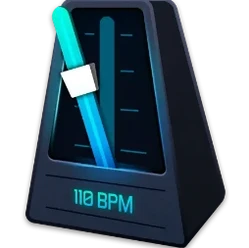
My Metronome - Tempo Keeper 1.4.8 Mac
Ten beats per minute is the floor. That is where My Metronome Tempo Keeper starts, and it climbs all the way to 500 BPM, according to developer Groove Vibes. The app puts a straightforward tempo tool on the Mac for practice and rhythm work, with a BPM detector that can pull a tempo from a melody.
Finding a tempo and setting a signature
A player might tap a riff into the BPM detector and get a reading in seconds. From there, the metronome can be set to match, with time signature settings that handle anything from a simple 4/4 to something less common. The interface switches between classic and advanced modes, so a student can keep it simple while a teacher dials in subdivisions.
Tuning before the beat
The built-in guitar tuner means one less app to launch before a session. A guitarist can tune up, set the tempo, and start a drill without leaving the window. The app runs on Intel Macs and speaks eleven interface languages, including Russian, Japanese, and Portuguese.
Switch to advanced mode for subdivision controls
Out of the box, the app defaults to 120 BPM and 4/4 time. That works, but a few quick changes make practice sessions smoother. First, switch to advanced mode — it lives in the main toolbar — to unlock subdivisions and accent controls. A drummer working on triplets can set eighth-note triplets against a quarter-note pulse, and the accented beat lands on the one every time.
Next, tap the gear icon and switch the click sound. The default electronic tick cuts through laptop speakers, but the woodblock sample feels more natural for acoustic instrument practice. Guitarists and pianists tend to prefer it. Also, check the flash option: a full-screen pulse on each beat helps when the room is too loud to hear the click clearly. It is off by default.
A rhythm guitarist's evening
A player sits down with an acoustic, a chord chart, and twenty minutes before dinner. The song calls for 76 BPM in 6/8. She launches the app, taps the tempo by clicking the BPM detector button and playing a few bars of the melody — the detector settles on 76 within four beats. She sets the time signature, switches to the woodblock sound, and starts a verse run-through. The subdivision is set to eighth notes, so the click outlines the compound feel without getting in the way. When a tricky bridge shifts the accent to the fourth eighth note, she pauses, adjusts the accent in advanced mode, and loops the section three times. One app handled the tuning, the tempo detection, and the metronome. The session ends with a clean run of the bridge and a guitar that stayed in tune.
Turn off the BPM detector before you start playing
The most common slip is leaving the BPM detector running while playing along. It keeps listening and can drift the tempo mid-session, especially if the playing is uneven. Tap the reading, set it, and switch the detector off before starting a drill.
Another mistake is ignoring subdivisions in compound time. A beginner in 6/8 often sets the click to quarter notes and wonders why the groove feels stiff. Dialing in eighth-note subdivisions with an accent on beat one fixes the feel immediately. Finally, some new users overlook that the guitar tuner needs microphone access — macOS prompts once, and if it is denied, the tuner shows a flat line with no explanation. Check System Settings under Privacy & Security if the needle never moves.
- macOS 11 or later
- Intel 64-bit processor
- Version
- 1.4.8 [MAS]
- Download
- 103 MB
- Developer
- Groove Vibes
- Languages
- Russian, English, German, Spanish, Italian, Chinese (Traditional), Chinese (Simplified), Korean, Portuguese, French, Japanese
- Activation
- K'ed by TNT team
- Compatibility
- macOS 11 or later
- Architecture
- Intel 64-bit
Questions readers asked
Yes, a guitar tuner is built into the app alongside the metronome and BPM detector.
It supports tempos from a slow 10 BPM up to a rapid 500 BPM.
Sign in or open a desk account to write a letter.
No letters on this brief yet. They are read before they run.









 Top
Top