

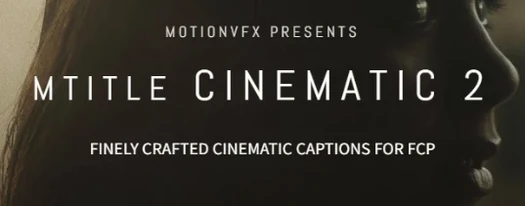
Motionvfx - mTitle Cinematic Mac
Flat, generic text can sink an otherwise polished video before the first cut. mTitle Cinematic from motionVFX addresses that by delivering 50 pre-built title templates tuned for film-style captions, openers, and credit sequences directly inside Final Cut Pro.
What kind of projects do the templates suit?
The set leans heavily on theatrical conventions — think widescreen opener cards, dramatic lower-third reveals, and rolling end credits. Documentary editors and short-film creators tend to reach for it when a project needs gravity in the first few seconds.
How much material comes in the package?
Fifty titles ship in the collection, covering everything from bold main-title lockups to understated chapter markers.
What governs the look of each title?
Parameters for typeface, color grading, and animation timing are adjustable in the FCP inspector, so the supplied designs function more as detailed starting points than as locked presets.
Where the templates land after installation
The files live in /Users/username/Movies/Motion Templates/Titles, which puts them exactly where Final Cut Pro and Motion expect to find third-party title plugins. No extra folder-watching or library relinking is necessary once the folder is populated. If Motion is installed, the templates can be opened there for deeper customization — animating individual character offsets or swapping the stock backgrounds for custom plates — and the result will still appear as a standard title in the FCP browser.
How mTitle Cinematic plays with other motionVFX packs
Editors who already run one of the larger mTitle bundles will see the Cinematic titles slot into the same browser category. Because the parameter architecture is shared across the mTitle line, keyframed opacity fades, scale ramps, and colour treatments applied to a Cinematic opener carry over cleanly when a lower third from another mTitle set follows it on the timeline. The horizontal aspect-ratio assumption also matches the mTitle Simple and mTitle Glitch collections, so cross-fading between a Cinematic credit roll and a Simple two-line locator card does not introduce unexpected letterboxing.
Everyday changes in the latest builds
In the current release the most noticeable shift is on the performance side: complex multi-layer animations that used to stall the FCP viewer during a first play-through now cache more aggressively on Apple Silicon hardware. Editors on Intel machines still benefit from smoother scrubbing when the timeline resolution is set to "Better Performance." A small but practical tweak is the increased range on the blur-in and blur-out sliders — previously capped at 20 pixels, the parameter now goes to 50, which makes the "fog reveal" preset usable for longer establishing shots without stacking an additional Gaussian effect.
A documentary editor’s workflow
Consider an editor assembling a 12-minute profile of a jazz trumpeter. The cut opens with a slow-motion performance clip over which an mTitle Cinematic opener fades — the serif weight preset, with the text tracking widened to 120 percent and the gold foil colour swapped for a cool tungsten blue that mirrors the stage lighting. Chapter markers at the three-minute and eight-minute marks use the "minimal underline" title from the same pack, keeping the same blue and the same typeface so the audience registers continuity rather than a jarring graphics switch. For the closing credits, the rolling template that ships in the set is dropped in with the scroll speed dialled down to 70 percent of the default, giving 28 seconds of crawl time — enough for the crew list without feeling rushed. Because the whole sequence relies on a single plugin family, the render pipeline stays predictable, and the editor avoids the common trap of mixing four different title engines that each pull the colour science in a slightly different direction.
Pasting titles into the wrong Motion Templates folder
Several early stumbles show up in user forums and tutorial comments. The most frequent is pasting the template folder into the wrong Motion Templates directory — /Users/username/Movies/Motion Templates/ has sibling folders for Effects, Generators, and Transitions, and dumping the title files into Effects means they simply never appear in the FCP titles sidebar. Another common slip: applying a Cinematic lower third to a vertical or square sequence without checking the aspect-ratio behaviour. The templates assume a horizontal frame, so text that looks balanced at 1920×1080 can clip awkwardly at 1080×1080 unless the editor manually pulls the position X parameter left or right. A third pitfall is over-driving the "drama" sliders — several presets combine lens flare, film grain, and a vignette at 60 percent opacity by default, and stacking three of those titles back-to-back with all three layers active creates a muddy, over-processed signal that is easy to blame on the plugin rather than on the stacking choice.
- macOS 10.14.4 or later
- Motion 5.4.3 or Final Cut Pro 10.4.6
- Download
- 5 MB
- Developer
- motionVFX
- Activation
- Not required
Sign in or open a desk account to write a letter.
No letters on this brief yet. They are read before they run.








 Top
Top