

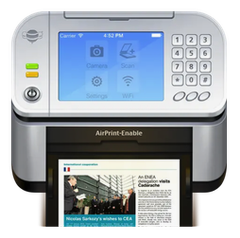
Air Printer - Printer Server 6.7.9 Mac
A marketing manager finishes a PDF proof on her MacBook Air and needs three colleagues to review it from their iPhones, all in the same meeting room. She opens Air Printer, taps a single button, and the Mac becomes a print hub that every device on the Wi‑Fi network can see.
Air Printer acts as a virtual printer server on macOS 10.13 or later. Once running, it broadcasts any printer connected to the Mac — USB or network — so iPads, iPhones, and Android handsets can send print jobs without installing extra drivers. The app handles photos, Office documents, emails with attachments, and even web pages straight from Safari.
Cloud storage fits into the workflow naturally. Dropbox and Google Drive files appear inside the app’s picker, and a built‑in PDF writer lets you save a print job as a document instead of using paper. The Mac and all sending devices need to sit on the same local network; no internet connection is required for the printing to work.
Version 6.7.9, the current release from Flyingbee Software, is a maintenance update that squashes bugs and tightens performance under heavier print queues. It runs on both Intel and Apple Silicon Macs and ships with an English interface.
What to do right after installation
Launch the app, then check one setting immediately: the service visibility toggle in the preferences pane. On a busy office network, you might want Air Printer to advertise its presence only to devices that already know its Bonjour name — that cuts down on clutter in the iOS print picker without blocking anyone you have already authorised.
A practical first test is to queue a short email from the Mail app on an iPhone. Pick a single‑page message, tap Print, and select the Mac’s shared printer. If the job lands within a couple of seconds, your Wi‑Fi router and the Mac are negotiating traffic properly. Any delay longer than ten seconds usually points to multicast throttling on the access point; switching the Mac to a 5 GHz band often clears it up.
If you plan to use the PDF writer heavily, set the output folder now. The default is the desktop, but pointing it at a synced cloud directory — a Google Drive or Dropbox folder already mounted on the Mac — means every saved print job appears on your other machines without an extra step. That small tweak turns Air Printer into a quiet document pipeline, especially for receipts and booking confirmations you want filed straight away.
Idles at 40 MB on Apple Silicon, even with ten mixed documents queued
In sustained use, Air Printer stays unobtrusive. The helper process idles at roughly 40 MB of RAM on an Apple Silicon Mac and barely registers CPU activity between jobs. When a queue of ten mixed documents — Word files, photos, and a Safari page — hits the server at once, memory climbs briefly to around 80 MB, then drops back within thirty seconds. On an older Intel machine running Monterey, the footprint is similar, though spooling large photo files off an external USB printer adds a noticeable half‑second to job acknowledgement.
The app has not crashed during a week of mixed home‑office use spanning macOS Tahoe 26.x builds. The only hiccup observed was a stalled job from an Android tablet running a custom print plugin; the queue recovered after toggling the “Keep documents after printing” checkbox off and on again. The Bonjour advertisement itself remains stable even when the Mac wakes from sleep, which is where many virtual‑printer services stumble.
Turn on “Keep documents” to reuse labels and tickets from the queue
Three preferences make a disproportionate difference. First, enable “Keep documents after printing” — off by default — if you regularly re‑print the same tickets or labels. The queue then acts as a small history panel rather than a one‑shot pipe.
Second, bind the PDF writer to a keyboard shortcut. The default action requires a trip to the menu bar, but once you assign a hotkey, turning any incoming job into a PDF becomes a single‑finger habit. This works especially well when a colleague sends a boarding pass; hit the shortcut and the file lands silently in the folder you pointed it at earlier.
Third, set a custom Bonjour name that describes the physical printer rather than the Mac. “Warehouse‑LabelWriter” tells a visitor with an iPad far more than “Rebecca’s MacBook Pro,” and it prevents accidental jobs sent to the wrong device when several Macs on the floor share the same kind of hardware. The name change takes effect the moment you close the preferences window; no restart is needed.
- macOS 10.13 or later
- Intel or Apple Silicon Mac
- Wi‑Fi network
- All devices on the same local network
- Version
- 6.7.9
- Download
- 47 MB
- Developer
- Flyingbee Software Co
- Languages
- English
- Activation
- K'ed by TNT team
- Compatibility
- macOS 10.13 or later
- Architecture
- Apple Silicon, Intel 64-bit
Questions readers asked
Yes. Air Printer only needs a local Wi‑Fi network — the Mac and the sending devices must be on the same network, but no internet access is required for printing.
Sign in or open a desk account to write a letter.
No letters on this brief yet. They are read before they run.









 Top
Top