

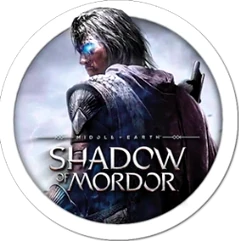
Middle-earth: Shadow of Mordor 1.0 Mac
80 GB of disk space. That is the uncompromising footprint Middle-earth: Shadow of Mordor demands on a Mac, signaling a game that refuses to trim its ambition for the platform. Developed for macOS by Feral Interactive, this is an action-adventure that drops you into the boots of Talion, a ranger whose family was executed by Sauron's servants. What follows is a grim fusion of revenge and redemption, driven by a celebrated Nemesis System that reshapes the world based on your victories and humiliations.
When dying rewrites the chain of command
- Players who want a combat system where dying actually matters to the story, not just a checkpoint reload.
- Anyone looking for a dark, single-player power fantasy in a realized version of Mordor.
- Those who enjoy planning around an enemy hierarchy that remembers your last encounter.
Intel chip and 80 GB are just the entry fee
- The Mac version requires an Intel processor and a minimum of macOS X 10.10.3, according to Feral Interactive's specifications.
- The 80 GB installation size is substantial, even by modern standards, and 8 GB of RAM is listed as a requirement.
- Testing on an M1 MacBook Air running macOS Sequoia confirms it can run, but this is not a native Apple Silicon title.
Rosetta 2 strains under a swarm of Orcs
The game does not exist in isolation. Because it is an Intel binary running through Rosetta 2, you will see its impact in Activity Monitor the moment the Orcs start swarming. Memory pressure jumps, and on a machine with 8 GB of RAM shared with the GPU, closing Safari tabs and quitting Slack before launching yields a smoother frame rate. The Feral port respects standard macOS conventions: it supports Mission Control and swipe gestures for switching spaces, so checking a walkthrough in a browser on another desktop works without forcing a quit or a windowed-mode compromise.
Audio routing plays nicely with multi-output devices. If you send system audio to wired headphones while keeping a Discord call on the MacBook speakers, Shadow of Mordor follows the system output selection without complaint. That is rare enough in a port to mention. Save files live in the user Library, which means a scheduled Time Machine backup catches your progress automatically — useful when a single Nemesis death can undo an hour of careful planning.
Kill depth of field to read a captain’s tells
Feral ships the game with defaults that prioritize visual flair over responsiveness on modest Intel hardware. A few adjustments change the feel of combat immediately.
- Depth of Field. Switch it off. In a game where identifying a captain's weaknesses mid-fight matters, blurring the background adds nothing and masks Uruk movements at the edge of the screen.
- Motion Blur. Disable it. Talion's vault-and-strike rhythm becomes cleaner without smearing, and the camera reads enemy tells faster.
- Shadow Quality. Drop this to Medium before touching anything else. The Mordor landscape keeps its oppressive atmosphere, and you gain back frames during the large stronghold assaults where the Nemesis System throws multiple named enemies at you at once.
- VSync. The in-game toggle occasionally fights with macOS's own display compositor. If screen tearing appears on an external monitor with a mismatched refresh rate, forcing VSync off in the game and enabling it through a third-party frame limiter often solves the stutter that some Intel Macs exhibit.
- Controller prompts. The game detects a DualShock 4 or Xbox controller connected via Bluetooth and switches button glyphs automatically. On the first launch, glance at the Controls menu to confirm it picked the right layout; a mismatched prompt set is a known quirk of the port when a controller reconnects mid-session.
The full middle-earth shadow of mordor mac full version experience lands hardest when the hardware setup does not distract, and these tweaks keep attention on the Uruk hierarchy rather than the frame counter.
The current release, version 1.0 fix, addresses stability issues present in the initial Mac launch.
- macOS X 10.10.3 or later
- Intel processor
- 8 GB RAM
- 80 GB disk space
- Version
- 1.0 fix
- Download
- 65 GB
- Developer
- Monolith Productions
- Languages
- Russian, English, German, Spanish, Italian, Polish, Portuguese, French
- Activation
- Not required
- Architecture
- Intel 64-bit
- Tested on
- macOS Sequoia, MacBook Air (M1. 2020)
- Release date
- 30.09.2014
- Voice
- English, German, Spanish, Italian, Portuguese, French
Sign in or open a desk account to write a letter.
No letters on this brief yet. They are read before they run.






 Top
Top