

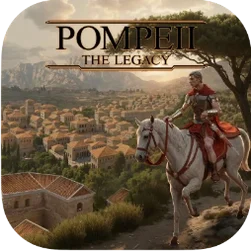
Pompeii: The Legacy 1.000.6 Mac
The campaign opens two decades after the eruption of 79 CE, giving you a city still scarred by ash and a population looking for leadership. Pompeii: The Legacy 1.000.6 is a Roman Empire city-builder that treats the settlement as a dynamic system — aqueducts, granaries and bathhouses do more than fill space, they directly shape citizen welfare.
Mac requirements and performance
The 1.000.6 build targets Apple Silicon architecture and was tested on a 2024 Mac mini with an M4 chip running macOS Tahoe. The game uses Wineskin, so the first launch may need a quick permissions fix, but once running, frame rates on the M4 stayed smooth through eruptions, fires, locust swarms and disease outbreaks — all live disasters the simulation can throw at your streets.
Research and city management
Progression splits into two research branches. The technology tree unlocks building upgrades and passive bonuses for production. The philosophy branch opens city-management tools and decision-making research, giving you finer control over how the rebuilt Pompeii handles trade, morale and crisis response.
The Wineskin container keeps it walled off from your other Mac apps
Because the build uses Wineskin, it runs in its own container and doesn’t reach into the rest of your Mac. That isolation means you can leave Mail, Safari and a dozen other apps open on a second display and the simulation won’t stutter — on the M4 test machine, switching spaces mid-game felt no heavier than tabbing out of a native Mac title. The game also respects Mission Control and full‑screen mode, though the initial launch defaults to a window. Opting into full‑screen from the settings menu locks the view cleanly to one space.
For players who keep notes, Pompeii: The Legacy doesn’t block standard macOS shortcuts for screen capture, so grabbing a trade‑route map or a family‑tree snapshot works with the usual key combos. Paste the result into a Notes sheet or a Discord thread without leaving the game.
Quiet two-hour research sessions with the CPU fans barely spinning
Two‑hour sessions on the M4 mini kept CPU temperatures low and fan noise essentially absent — the kind of quiet that matters when you’re deep in a philosophy‑research chain and don’t want a whirring distraction. Memory use hovered around 2.3–3.1 GB, light enough that the system never pressured background apps to swap. Even at speed‑three simulation, fire‑fighting crews, aqueduct flow and market‑stall inventories updated without visible lag.
Disk access is modest after the first run. The Wineskin wrapper creates a small prefix folder in your home Library, and save files stay there too. If you ever need to back up a campaign, copying that folder preserves your Pompeii the legacy mac full version progress intact.
Run the bundled Fix script once to clear the launch error
Three recurring hiccups show up in player reports, and each has a straightforward fix.
- Launch error after copying to Applications. The disk image includes a Fix script. Run it once, and the game opens normally after that. Skipping this step produces a generic Wineskin complaint.
- Cursor drift in full‑screen mode on multiple monitors. Lock the game to one display through the in‑game graphics menu rather than relying on macOS display arrangement alone. The fix sticks across sessions.
- Save‑file mismatch after a game crash. The autosave ticks at the start of each in‑game month. If a crash interrupts a session, the most recent manual save loads fine; the autosave sometimes rolls back by a few weeks. Tapping the quicksave key before any major disaster decision is a cheap insurance policy.
- Apple Silicon Mac
- macOS Tahoe (tested on 2024 Mac mini with M4 chip)
- Wineskin wrapper included
- Version
- 1.000.6 [Wineskin]
- Download
- 5.5 GB
- Developer
- Siscia Games
- Languages
- Russian, English, German, Spanish, Italian, Chinese (Simplified), Korean, Polish, Portuguese, French, Japanese
- Activation
- Not required
- Architecture
- Apple Silicon
- Tested on
- macOS Tahoe, Mac mini 2024 M4
- Release date
- 10.04.2026
- Voice
- English
Questions readers asked
The game includes eruptions, earthquakes, fires, locusts and disease as live events that can hit the city during a campaign.
The 1.000.6 build uses Wineskin and was tested on an M4 Mac mini with macOS Tahoe, targeting ARM architecture.
The interface is available in Russian, English, German, Spanish, Italian, Simplified Chinese, Korean, Polish, Portuguese, French and Japanese.
Sign in or open a desk account to write a letter.
No letters on this brief yet. They are read before they run.








 Top
Top