

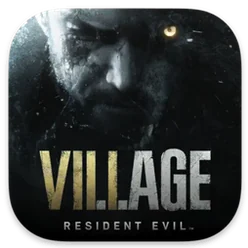
Resident Evil Village 1.1.2 Mac
The Mac version of Resident Evil Village runs on Apple silicon hardware and asks for macOS 12.0 Monterey or later, with macOS Ventura 13.0 also supported. That puts the eighth major Resident Evil entry on machines that can handle the village's dense environments, though performance will still vary by chip and memory configuration.
You play as Ethan Winters, searching a remote village after Chris Redfield's intervention sets the story in motion. The enemies are new to the series, and the close-quarters combat leans on quick aim adjustments. On a Mac, the keyboard and mouse work, but a controller generally feels better for the slower, deliberate pacing the game is known for.
The port includes The Mercenaries: Additional Orders and in-game achievements, so the extra content from the standard release is present here. Interface languages span English, French, German, Spanish, Italian, Russian, Arabic, Japanese, Korean, and several Chinese and Southeast Asian options.
Expect some trade-offs on integrated graphics. The game is playable, but you may need to drop resolution or effects to keep frame rates steady during larger encounters.
Ethan returns with the same engine, but the castle runs cooler on Mac
Resident Evil Village sits alongside a handful of other survival horror games that run natively on Apple silicon. The most direct comparison is the Mac version of Resident Evil 7 biohazard, which shares the same first-person engine and Ethan Winters as its protagonist. Village is the more technically ambitious of the two, with larger outdoor areas and more complex lighting, but the earlier game's tighter, single-location horror often feels more oppressive in a way some players prefer.
Lies of P, while not a Resident Evil title, occupies the same broad territory for Mac players looking for third-person dread. It leans harder into parry-focused melee combat and a Belle Époque aesthetic, whereas Village moves between gunplay, exploration, and scripted setpieces. Where Lies of P demands patience with its boss fights, Village spreads tension across resource management and enemy variety — you are rarely stuck on one encounter for long, but ammo conservation bites back later if you are careless.
For those drawn to the village setting itself, the Mac port of Resident Evil 4's remake offers the closest thematic match. Both drop you into a hostile rural environment with improvised weapons and a mounting sense of something larger pulling the strings. Village, however, is the more structurally varied game: it cycles through distinct horror sub-genres across its four major areas, while Resident Evil 4 keeps a more consistent action-horror rhythm throughout. On Apple silicon, both titles demand similar sacrifices on base M1 and M2 machines — expect to dial back texture quality and shadow resolution first.
M1 MacBook Air hits trouble in the particle-heavy factory
Will this run on my M1 MacBook Air? It will, but with caveats. The fanless design means the system throttles sooner during sustained load, so the castle and factory sections — both heavy on particle effects — can dip below 30 frames per second even at modest settings. Players on MacBook Air machines learn to keep sessions under an hour and avoid playing in warm rooms.
Does the Mac version support ray tracing? Not in the way the console and high-end PC versions do. Apple silicon's Metal ray tracing pipeline is still maturing, and this port does not expose those settings. Reflections and global illumination use screen-space techniques instead, which look fine in motion but show their limits when you stop and examine puddles or polished floors.
Is the Shadows of Rose DLC worth the extra space? It is included with the Mac version, so the question is less about cost and more about the download size. The expansion runs shorter than the main campaign and shifts to a third-person perspective, playing more like a psychological horror vignette than the action-survival blend of Ethan's story. It works best as something you tackle a few days after finishing the core game, once the village itself has settled in your memory.
Can I transfer saves from a console or PC version? There is no official cross-save support between platforms. A fresh start is the only reliable path, which means unlocking The Mercenaries stages and weapon upgrades from scratch on the Mac.
Lower the resolution before the village gate to stop early stutter
Start with the display settings before you even reach the village gates. The game defaults to a resolution that often overshoots what base M1 and M2 chips can sustain, so drop to a lower resolution early and raise it only after you have survived a few outdoor encounters. The opening snow sequence is a decent stress test — if the frame rate stutters there, it will only get worse in the castle hallways.
Remap the quick-turn command to a key or controller button you can reach without thinking. The game teaches you to backpedal, but some enemy types flank faster than Ethan can retreat, and a fast 180-degree spin saves more healing items than any dodge attempt. On a DualSense or Xbox controller, a paddle or shoulder button works; on keyboard, something near the movement keys is essential.
Disconnect from the internet during your first launch, as the article notes, but also keep the machine offline for the first hour of play. CAPCOM's server handshake can stall on the initial boot sequence, and a black screen that lasts more than a minute usually means the connection is hanging, not that the app is broken. Once you have saved at a typewriter and quit cleanly, reconnect and let the achievements sync.
Play the first two hours with headphones. The village's sound design does heavy lifting for enemy placement — creaking wood, distant howls, and the metallic scrape of a Lycan's weapon all arrive before the creature does. MacBook speakers flatten the directional audio enough that you will miss cues the game expects you to act on.
- macOS 12.0 or later
- Apple silicon architecture
- Version
- 1.1.2 fix
- Download
- 32 GB
- Developer
- CAPCOM
- Languages
- Russian, English, German, Arabic, Spanish, Italian, Chinese (Traditional), Chinese (Simplified), Korean, Portuguese, Thai, French, Japanese
- Activation
- Not required
- Architecture
- Apple Silicon
- Tested on
- macOS Tahoe, Mac mini 2024 M4
- Release date
- 28.10.2022
- Voice
- Russian, English, German, Spanish, Italian, Chinese (Simplified), Portuguese, French, Japanese
Questions readers asked
The Mac version supports macOS Monterey 12.x and macOS Ventura 13.0.
Sign in or open a desk account to write a letter.
No letters on this brief yet. They are read before they run.




 Top
Top