

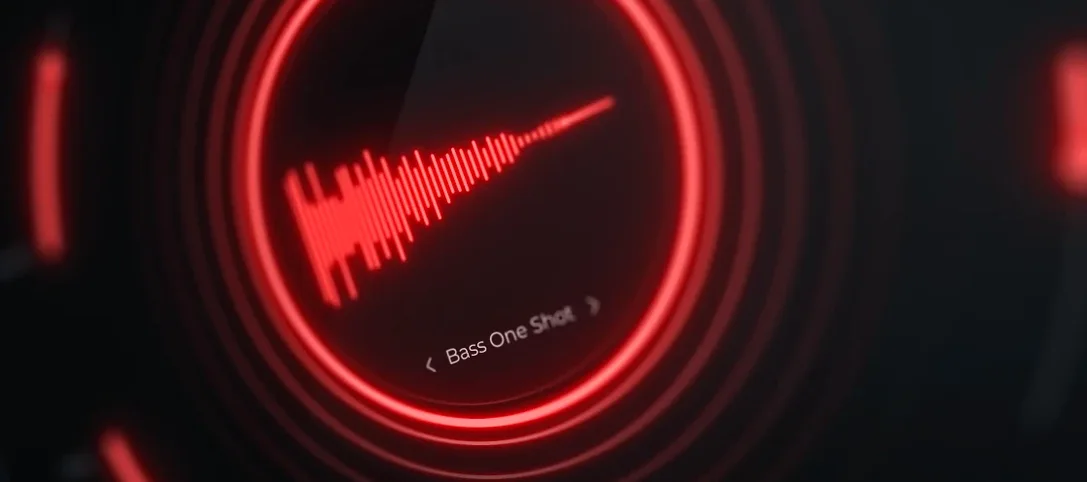
Cymatics QUAKE 1.0.0 Mac
Producers working in Trap, Drill, and heavy R&B lean on QUAKE when a sample pack won't cut it. It operates as a standalone instrument built for designing bass and 808 parts rather than triggering pre-baked one-shots, so it lands on instrument tracks early in the writing process.
Load it on a MIDI track and write notes, not audio clips
QUAKE loads directly onto a MIDI or instrument track. You write in the notes like any other virtual instrument and shape the tone from the plugin's controls—there is no need to drag audio clips onto the timeline.
Where do the tone-shaping controls come in?
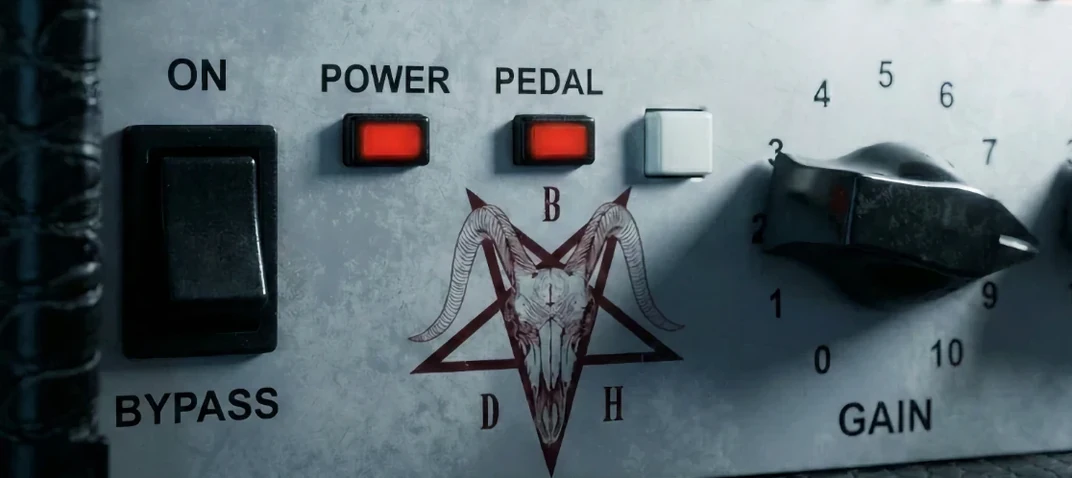
Width handles stereo spread, while Metal, Heat, and Push introduce three distinct saturation and distortion characters. The Filter stage pulls out unwanted low or high frequencies before the signal ever hits a channel strip, which keeps bus processing cleaner downstream.
What role do the presets play?
A full preset library spans Trap, House, R&B, EDM, and Drill. Each preset is fully customizable, so a starting point for a gritty 808 can be pushed into a cleaner sub tone without leaving the instrument.
Keeping it fresh across updates
Version 1.0.0 established the baseline, and anyone who installed it early got the full control set from day one. Width, Shape, Filter, Noise, Metal, Heat, and Push all landed together, so there was no staggered rollout where a key knob appeared months later. What changed in daily use was how quickly producers trusted the plugin to handle gain staging without extra trim plugins. Early adopters on forums noted that the internal saturation stages—Metal, Heat, and Push—hit cleanly enough that a sub could go straight from QUAKE to a limiter without a gain utility in between. That removed one insert slot on bass chains, which matters when a session already has thirty tracks and counting.
The preset library also settled into a known quantity after the first few weeks. Instead of producers auditioning fifty sounds and tweaking half of them beyond recognition, the workflow shifted toward picking a genre preset, dialing Shape to fit the envelope of the existing kick, and leaving Filter to catch the low-mid clutter that clashed with a piano or vocal. As of version 1.0.0, the noise circuit does not have its own envelope follower, so users learned to automate the Noise knob manually on longer sustained notes—a small extra step that became muscle memory fast.
Lay down three 808 ideas in an afternoon without leaving the window
Beatmakers working inside a deadline get the most immediate return. Someone laying down three ideas in an afternoon does not want to open a separate synthesizer, a distortion rack, a stereo widener, and an EQ just to make an 808 knock. QUAKE puts those modules under one set of controls, so a usable bass tone often lands within the first two minutes of browsing presets and nudging Heat or Push.
Sound designers building transitional effects—risers, drops, bass stabs with movement—also find it practical. Because Noise adds analog grit and Width can be automated, a low drone can evolve across eight bars without ever leaving the plugin. Trap and Drill producers gravitate toward the Metal stage for that clangy, metallic attack that cuts through phone speakers, while R&B and House users tend to keep saturation lower and lean on Shape to soften the transient. The common thread is anyone who treats bass not as a static low-end filler but as a lead element that carries melodic and textural weight.
What to try in the first days
The install process is standard—drop the component or VST file into the correct folder, rescan, and the instrument appears under the Cymatics heading. Once it loads, a few deliberate moves accelerate the learning curve more than clicking through presets at random.
Start with Filter, not with saturation. On a new MIDI track, load any Trap preset and pull the low-pass down to around 200 Hz, then gradually open it. This reveals what the raw oscillator tone sounds like before Metal or Heat add harmonics. A clean source makes the later saturation choices intentional rather than guesswork.
Automate Width per section. In a verse, keep Width below 30% so the bass stays centered and solid. On a hook or a drop, automate it to 70% or higher. The difference in perceived loudness is significant even when the peak meter barely moves.
Stack Noise sparingly. Adding Noise to a sub-heavy preset creates texture that sounds appealing in solo, but on a full mix it can mask the attack of a kick drum. A safe starting habit is to dial Noise to about 15%, then bypass it during the first chorus to check whether the low end tightens up.
Treat Metal, Heat, and Push as a chain, not as three flavors of the same thing. A common early mistake is cranking all three and losing definition. A practical approach: use Push for subtle harmonic density on the sustain, Heat for a midrange edge that helps the bass cut through laptop speakers, and Metal only on notes where the transient needs a sharp, percussive click.
SubLab XL splits the sub, QUAKE keeps it in one engine
Several Mac-compatible instruments chase the same goal of a one-window bass design workflow, but they take different paths to get there.
QUAKE versus SubLab XL. SubLab XL leans heavily into 808 territory with a dedicated sub oscillator and a separate harmonic layer, plus a built-in compressor tuned for bass. QUAKE, by contrast, does not separate sub and harmonic layers on two faders—it bakes the tone shaping into Shape and the three saturation circuits. Where SubLab XL offers surgical control over the low fundamental, QUAKE pushes the character into the midrange sooner, which suits producers who want the bass to carry melodic content rather than sit under it. Producers who rely on a dedicated compressor section inside the bass plugin might prefer SubLab XL; those who already have a go-to bus compressor often find QUAKE slots into that chain with less redundancy.
QUAKE versus Bass Master. Bass Master is a sample-based instrument that ships with a large library of processed one-shots and loops aimed at modern trap and hip-hop. It excels when the goal is to trigger a finished sound that has already been mixed and layered. QUAKE works one level upstream—it generates and shapes the tone from scratch, so the end result can be exported as audio and further processed, but it does not offer a button that plays a pre-mixed, mastered 808 with one finger. For beatmakers who build their own processing chains and want the bass to react to MIDI velocity and automation in real time, QUAKE covers more ground. For those who treat bass as a quick selection from a curated palette, Bass Master removes more steps.
A niche worth mentioning is the way some producers have searched for cymatics quake alongside other Cymatics instruments on sharing forums. Those searches often lead to discussions about Cymatics Quake free download or Cymatics Quake torrent links, and the plugin itself is a compact instrument that installs cleanly on both Intel and Apple Silicon Macs running macOS 10.14 or later. Its footprint stays small enough that projects load without the extended plugin scan times that heavier sampled instruments sometimes trigger.
- macOS 10.14 or later
- Intel and Apple Silicon native support
- Version
- 1.0.0
- Download
- 1.6 GB
- Developer
- Cymatics
- Languages
- English
- Activation
- K'ed by GTA
- Compatibility
- macOS 10.14 or later
- Architecture
- Apple Silicon, Intel 64-bit
Sign in or open a desk account to write a letter.
No letters on this brief yet. They are read before they run.




 Top
Top