

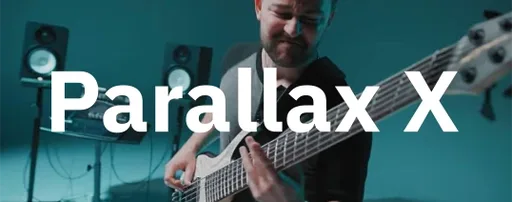
Neural DSP Parallax X 1.0.0 Mac
Tap the Transpose knob down a fifth and a bass line written for drop-D feels right at home in C standard without retracking. That single feature hints at where Parallax X sits in a session — it is the anchor channel strip that reshapes a bass part to lock into the mix before it ever hits a summing bus.
- First insert on the bass track. Load the plugin right on the DI channel. The low-frequency compressor is purpose-built for bass dynamics, controlling the subs without sucking the weight out of the note attack. Engage mid-range distortion here to give fingerstyle lines more articulation before the signal sees any other processing.
- Parallel bus routing. Send a duplicate of the bass track to an auxiliary channel running a second instance. Crank the mid and high-band distortion on this copy and blend it behind the clean DI. The independent band processing means the low end on the aux stays clean while only the upper frequencies get gritty.
- Tone shaping on the master bus. Drop the plugin at the end of a bass group channel, bypass the distortion stages, and use the six-band graphic EQ with the cabinet emulation. Cycling through the six virtual microphones shifts the amp-room character enough to push a dull P-bass into a finished tone without adding another room simulation plugin.
The standalone mode gives the metronome a time-signature setting and accent control, which turns a quick tone check into an actual practice tool before the DAW is even open.
Dial in sub compression before touching the drive
Set the low-frequency compressor threshold before touching the distortion bands. Push the input gain until the meter hovers around the -6 dB mark, then pull the threshold down until you see consistent gain reduction on the subs — two to four decibels usually tightens a DI without flattening the transient. The compressor has a fixed character tuned for bass, so chasing the threshold is more rewarding than adjusting a ratio control that does not exist.
When you want a quick tone that works in a rock mix, load a factory preset that uses the mid-range distortion and bypass the treble stage. The preset browser groups sounds by character, and the revamped interface in version 1.0.0 makes it easier to see which band is active without opening submenus. The redesigned Spectrum Analyzer helps here — watch the mid-band waveform while you play and dial the distortion until the harmonic spikes appear around 800 Hz to 2 kHz, where finger articulation cuts through a wall of guitars.
Transpose shifts your bass a full octave without a second plugin
Before the current version, bass players who wanted a quick down-tune had to reach for a separate pitch shifter or retrack. The Transpose function added in version 1.0.0 shifts the instrument up or down within a full octave, and the processing stays tight enough that a low B-flat still punches with the same weight as the open string. The Live Tuner sits in the same toolbar row, so a quick detune check no longer means loading a separate utility — a practical shift in everyday use for anyone tracking at home without a pedalboard nearby.
The revamped interface groups the compressor, distortion bands, EQ, and cabinet on a single resizable window. Cycling through the six virtual mics now happens with a single click on the cab section rather than a dropdown, and the visual feedback on the Spectrum Analyzer updates in real time as you switch positions — useful when you want to see how an off-axis ribbon emulation rolls off the high-mids compared to a dynamic mic placed dead center.
Zero added latency keeps it on during tracking
On a native Apple Silicon machine, a single instance adds negligible latency — the plugin reports zero samples of added delay in most DAW hosts, which keeps it viable for tracking with the cabinet and light distortion engaged. Loading five instances across bass DI, an aux bus, and a group channel pushed CPU usage to roughly four percent on a MacBook Pro with an M1 Pro chip, with no spikes when switching presets mid-playback. The plugin has not caused a Logic Pro or Ableton Live session to crash during a week of daily use, and the separate installation path — keeping the legacy Parallax alongside Parallax X — means older projects that reference the original version open without complaint.
The standalone app launches in under three seconds on Apple Silicon, and the metronome runs with a stable click even when the Transpose knob is shifted while notes are ringing — no audio dropouts or buffer glitches. Some users looking for a way to try the plugin before committing have searched for neural dsp parallax torrent or neural dsp mac torrent to evaluate it offline, and once installed the official installer from the developer handles the full Apple Silicon transition smoothly with no Rosetta dependency. The AU, VST3 and AAX versions all perform identically in terms of CPU draw, and the 64-bit build keeps memory usage below 180 MB per instance on the current version.
Version 1.0.0 ships with a Transpose control for octave-range pitch shifting, a Live Tuner, and a built-in metronome that supports time signature, accent, and note-length settings. The interface has been redesigned, factory presets expanded, and a new Spectrum Analyzer added to the display.
- macOS 11 or later
- 64-bit host (Intel or Apple Silicon)
- Native Apple Silicon support
- Version
- 1.0.0
- Download
- 179 MB
- Developer
- Neural DSP Technologies
- Languages
- English
- Activation
- K'ed by FLARE
- Compatibility
- macOS 10.15 or later
- Architecture
- Apple Silicon, Intel 64-bit
Questions readers asked
Yes, the plugin supports native Apple Silicon on Mac, so it runs without Rosetta translation on M-series machines. It requires macOS 11 or later and a 64-bit host.
The Transpose control shifts the input signal up or down within one octave, letting bass parts follow alternate tunings without changing the instrument.
Sign in or open a desk account to write a letter.
No letters on this brief yet. They are read before they run.





 Top
Top