

Serato Hex FX 1.2.0 Mac
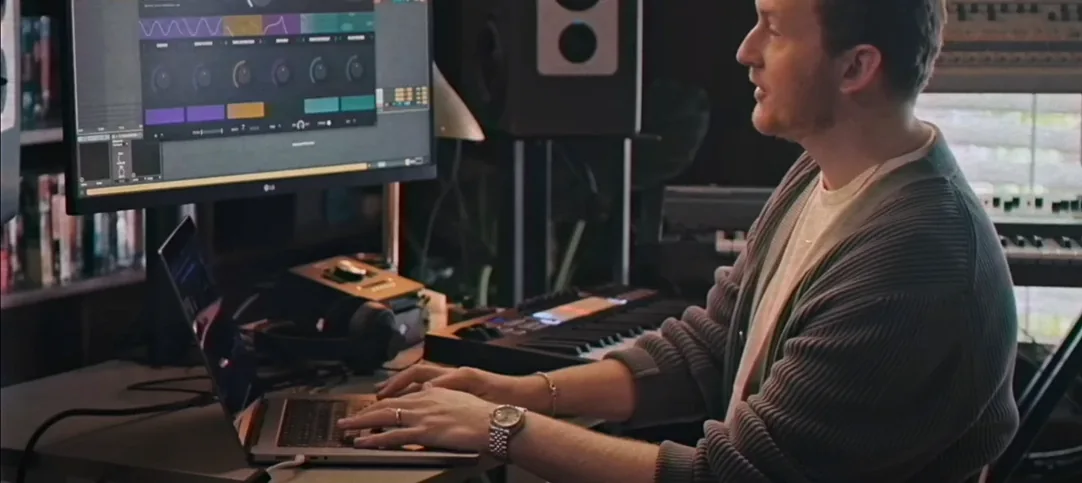
A dry synth line or a flat drum loop often needs more than a single reverb to feel finished. Serato Hex FX is a multi‑FX plugin built for producers and performers who want to stack, reorder and tweak a chain of effects inside one window, without juggling six different inserts.
AAX install option now joins VST and AU on Apple Silicon Macs
Hex FX ships as a VST and AU plugin, and as of version 1.2.0 it also installs as an AAX plug‑in for Pro Tools users. The installer presents an AAX option during setup. It runs on Apple Silicon Macs natively and on Intel 64‑bit machines, with macOS 10.15 Catalina as the minimum. The interface is English‑only. Serato’s own Serato Studio can host it, alongside any compatible DAW.
A chainable workflow in numbered steps
- Load Hex FX on a channel in your DAW.
- Pick a starting point from the 200‑plus factory presets, organised by category.
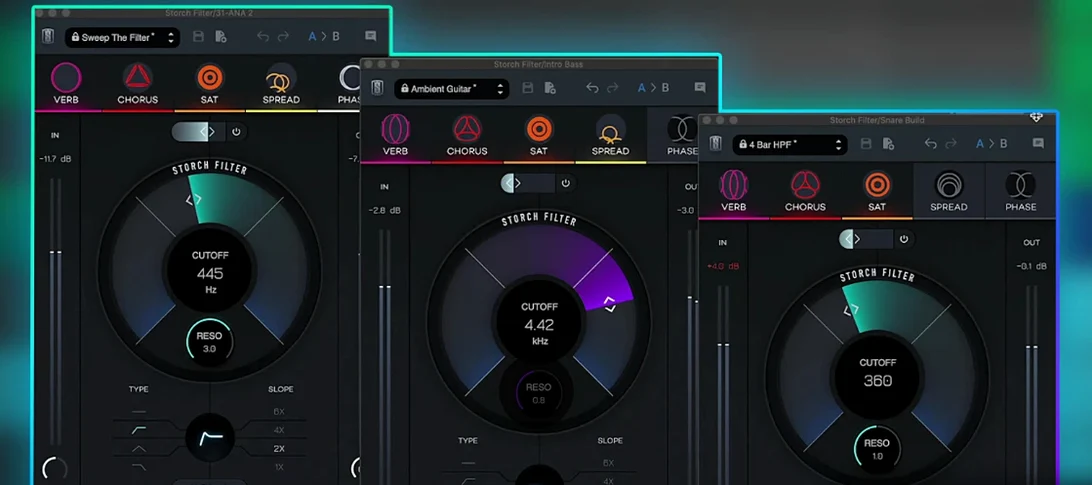
- Drag the 50 available FX modules — including EQ bands (low‑shelf, mid‑bell, high‑shelf) and performance tools like Halftime and Rollout — into the order you want.
- Adjust each module’s parameters to shape color, energy and movement. The EQ section gives you precise tone‑shaping inside the chain.
- Save your own preset when the combination clicks, so it returns identically in another session or a live set.
Because the chain is freely reorderable, a producer can place a filter before a distortion for one mood and swap them for a completely different texture, all without leaving the plugin window.
Stacked distortion and a resonant filter can spike your output instantly
Stacking five modules before checking gain staging is the most common slip. Hex FX does not hold your hand on levels, and a distortion followed by a resonant filter can spike the output fast. Dial each module's wet/dry and output trim before adding the next one, or the master fader in your DAW ends up fighting a signal that is already clipping internally.
Another pattern is treating the Halftime and Rollout performance effects as set‑and‑forget inserts. They are designed for live grabs and momentary stutters, not a whole verse. Map them to a MIDI controller or automate bypass if you want the track to breathe. Leaving Rollout active across a full arrangement turns a tight drum break into a blur that loses its punch by the second bar.
Beginners also overlook the EQ section's position in the chain. The low‑shelf, mid‑bell and high‑shelf bands default to the front, which makes sense for cleaning up a sound before it hits a compressor or a saturator. But moving the EQ after a heavy reverb or a modulation block often yields a more polished result. A mid‑bell cut placed late in the chain can tame a resonant peak that only appears once the earlier effects accumulate, and most new users never try that order.
Finally, the 200‑plus presets can become a crutch. Browsing artist patches from DECAP, Jake One or Dibia$e is a solid education in how chains are built, but loading a preset and calling the mix done skips the point of a modular tool. A preset that sounds huge on the designer's bassline may swamp a vocal or a piano part. Pull apart a preset you like, study the module order and adjust each parameter for your source material. That habit turns a preset library into a learning resource rather than a shortcut that misfires half the time.
Pull back the output ceiling to -0.3 dB before chaining modules
Open the plugin and head straight for the global output trim. Hex FX ships with a conservative default, but once you chain three or four modules the cumulative gain can push well past unity. Set the output ceiling to -0.3 dB or lower and check it with a meter plugin downstream. This alone prevents the worst clipping surprises during a late‑night session.
Next, assign a MIDI controller to the Performance FX on/off switches. Halftime and Rollout respond instantly, and a pad or a footswitch turns them into improvisational tools rather than menu items you must click with a mouse. Producers who perform live or stream their sessions will get more mileage from Hex FX with this five‑minute mapping than from any other tweak.
The default preset‑browsing view sorts patches by category, but the search bar accepts plain‑text queries across all 200‑plus presets. Typing "tape" or "stutter" brings up results faster than scrolling, especially when a collaborator is waiting. Many users never realise the search works on partial words, so they click through folders for months.
Also worth adjusting early: the effect‑chain width. The GUI leaves modules side‑by‑side by default, but dragging a module to a new position while holding a modifier key stacks them vertically in a compact view. On a laptop screen, this reclaims enough real estate to keep the plugin and the DAW arrangement visible at the same time.
A sound designer's lunch break
A post‑production sound designer working on a sci‑fi short film needs a drone that shifts from a low mechanical hum into a shimmering, unstable texture. She loads Hex FX on a recorded air‑conditioner rumble in Pro Tools, using the new AAX support in version 1.2.0. The chain starts with a low‑shelf cut to remove subsonic rumble, then a light overdrive module for harmonic grit.
She slots a pitch‑shifter set to a fifth above and blends it at 30 percent wet, followed by a long reverb with the high‑shelf EQ placed after the tail to darken the reflections. A slow LFO assigned to the reverb mix introduces movement over sixteen bars. Finally, she maps Rollout to a MIDI knob and records a pass where she triggers it sparingly on the third beat of every other measure, creating a stutter that feels like a failing machine. The whole patch took under eight minutes to build and saves as a custom preset for the next reel, where the same chain with a different source track becomes a distant alien atmosphere.
Version 1.2.0 brings AAX plug‑in support, so Pro Tools users can now load Hex FX directly. The update also includes a handful of bug fixes, and the installer lets you choose the AAX format during the standard installation process.
- macOS 10.15 or later
- Apple Silicon or Intel 64‑bit processor
- Compatible VST, AU or AAX host
- Version
- 1.2.0
- Download
- 105 MB
- Developer
- Serato
- Languages
- English
- Activation
- k'ed by Team V.R
- Compatibility
- macOS 10.15 or later
- Architecture
- Apple Silicon, Intel 64-bit
Questions readers asked
It works as a VST and AU plugin, and version 1.2.0 added AAX support for Pro Tools.
Yes. Hex FX runs natively on Apple Silicon Macs and on Intel 64‑bit Macs, starting from macOS 10.15.
There are 50 chainable FX modules, plus over 200 presets to use as starting points.
Sign in or open a desk account to write a letter.
No letters on this brief yet. They are read before they run.




 Top
Top