

Sonic Charge Synplant 2 2.0.2 Mac
Synplant 2 runs on any Mac with macOS 10.13 High Sierra or later, supports both Intel and Apple Silicon processors natively, and requires a 64-bit host for its VST 2.4, VST3, or AudioUnit 2 plug-in formats. A standalone application is included in the Mac version, so you can open it without a DAW when you want to browse sounds or design a patch away from a session.
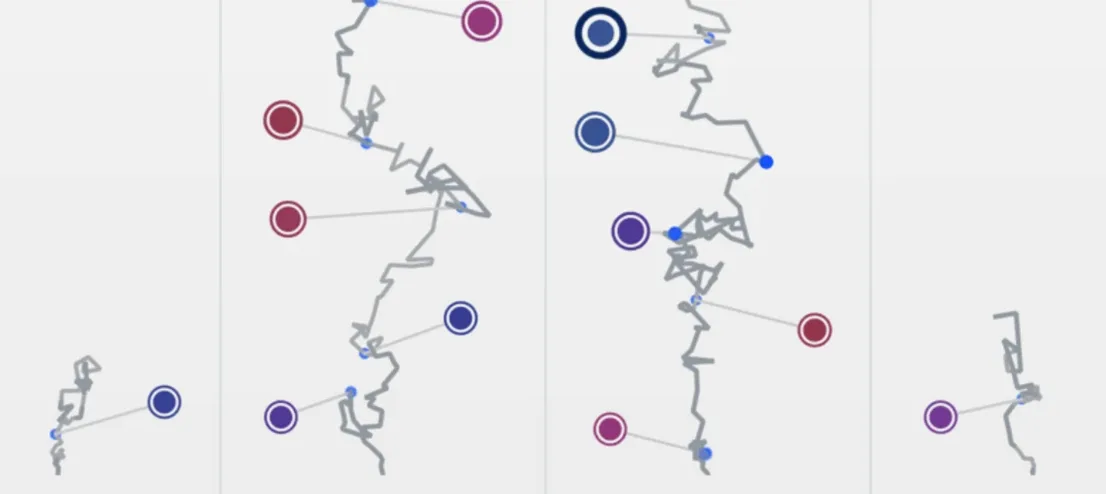
In a track layout, Synplant 2 tends to land on synth leads, pads, and textural layers where its genetic engine has room to surprise you. The synthesizer generates sounds from seeds—the developer calls them sound seeds—that you grow into full presets by twisting branches on a circular interface. Because it supports polyphony and layering, it also works on chord parts and stacked unison lines without eating up extra insert slots.
When you need something more concrete, the Genopatch feature analyzes an audio sample and builds a matching patch. It runs entirely on the local machine, so you can drop in a drum loop or vocal snippet on a bus channel and get a synthesized approximation without waiting for a cloud service. The included Synplant FX plug-in strips out the effect section as a separate processor, which is useful on send channels or directly on audio tracks when you want the tone without the synthesis engine.
The factory library ships with hundreds of presets, and the built-in DNA Editor gives you a graphical view of envelopes, oscillator types, and filters if you prefer a more traditional editing window alongside the genetic controls.
Beginner missteps that waste time
New users frequently treat the circular seed interface like a standard preset browser—clicking once, hearing nothing they like, and moving on. The engine expects you to pull on the branches. A seed that sounds thin on first listen often fattens into a usable pad after you drag a few nodes outward and let the gain staging catch up.
Another common mistake is feeding Genopatch a sample that is too busy. A full drum mix or a reverberant vocal throws the analysis off because the algorithm tries to reconstruct every element at once. Short, dry, monophonic sources—a single snare hit, a clean bass pluck, a whistle—give the cleanest results. Users also overlook the note and velocity response settings in the DNA Editor. A patch that feels static at one key pressure can open up with filter movement if you assign velocity to cutoff, but beginners often skip that step and assume the sound is fixed.
Spinning random seeds into a glassy bell texture
Producer kicks off a session in Ableton Live with an empty eight-bar loop. She inserts Synplant 2 on a new MIDI track, opens the standalone interface, and spins the random seed generator a few times until a glassy, bell-like texture catches her ear. She pulls the leftmost branch up to stretch the attack and darkens the high end by dragging another node clockwise—the change is immediate, organic, no menu diving.
She layers a second instance with a percussive pluck generated via Genopatch. She drags a short wooden-block sample from the arrangement view directly onto the Synplant window. Ten seconds later, the analysis finishes. The result isn't a clone, but it carries the transient snap and body of the original, and she tightens the decay by nudging a single branch. Both instances run in polyphonic mode, so she sketches out four-note chords without voice stealing.
She routes the bell patch through Synplant FX on a return track, pushing the ensemble chorus just enough to widen the stereo field without washing out the transients. The DNA Editor stays closed for most of the session—she only opens it at the end to check envelope timing against the tempo grid, confirming the release tails clear before the next downbeat. The whole patch-building process takes under fifteen minutes, and the two layers sit in the mix without additional EQ.
The version 2.0.2 update resolves a file browser bug that appeared when loading a WAV file from a directory whose path contained Unicode characters.
- macOS 10.13 High Sierra or later
- Intel or Apple Silicon processor
- 64-bit host for VST 2.4, VST3, or AudioUnit 2 plug-ins
- Version
- 2.0.2
- Download
- 61 MB
- Developer
- Sonic Charge
- Languages
- English
- Activation
- k'ed by Team V.R
- Compatibility
- macOS 10.13 or later
- Architecture
- Apple Silicon, Intel 64-bit
Sign in or open a desk account to write a letter.
No letters on this brief yet. They are read before they run.






 Top
Top