


Steinberg GrooveAgent 6.0.30 Mac
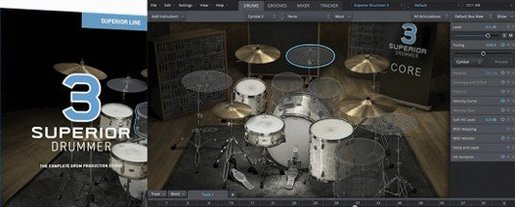
Steinberg GrooveAgent 6.0.30 lands with support for macOS 14, 15, and 26, running natively on both Apple Silicon and Intel Macs. The plug-in is built for producers, beat programmers, and singer-songwriters who need acoustic drums, electronic kits, and percussion inside a single resizable interface.
Each acoustic kit piece draws from up to 32 velocity layers, so a snare hit sounds different at a whisper than it does at full force—round robins prevent the machine-gun repetition that flattens drum tracks. The electronic content adds synthesized kicks, claps, and hats that cut through a dense mix without additional processing.
Version 6 introduces drag-and-drop sound layering for acoustic kits. Dragging a sample onto a pad stacks it beneath the existing sound, letting you reinforce a kick with a sub-bass thump or blend two snares into one attack. The new pattern editor and mixer sit alongside improved hardware mapping, so MIDI grooves feel less locked to the screen and more like a hardware drum machine.
MIDI grooves are included across all sound libraries, giving you patterns to tweak rather than blank grids. The online help and PDF manuals live at steinberg.help, covering kit construction, effects routing, and the pattern editor in detail.
Skipping the 32-layer velocity architecture leaves kits feeling lifeless
Loading a kit and hitting record without checking velocity layers is the most common misstep. A producer who skips the 32-layer architecture ends up with static-sounding tracks, because they never dial in the dynamic response curve that maps finger strength to sample depth. The fix takes two minutes: open the kit editor, verify that velocity-to-volume mapping is active, and play a few ghost notes to hear whether quiet hits trigger the right samples.
Another repeated error is ignoring round robins. Leaving a kit on the default one-sample-per-layer setting produces that telltale machine-gun roll on fast hi-hats. Switching to the full round-robin pool—sometimes buried in the pad inspector—restores the natural variation of a live drummer.
Beginners also drag samples onto pads without checking the layer blend. GrooveAgent stacks sounds when drag-and-drop layering is active, but if the new sample arrives at full volume it masks the original hit entirely. Pulling the layer fader down to 40 or 50 percent and adjusting the attack envelope on the added transient usually yields a tighter hybrid strike.
Finally, new users overlook the pattern editor's export options. Programming a groove inside the plug-in and then manually recreating it in the DAW arrangement duplicates work. Dragging the MIDI pattern straight onto the timeline—a single action—saves that effort every time.
How GrooveAgent compares with similar Mac plug-ins
Alongside GrooveAgent, two other drum production plug-ins show up regularly in Mac-based studios: Native Instruments Battery and XLN Audio Addictive Drums. Each takes a distinct path to the same goal.
Battery leans heavily into sample playback and kit layering for electronic producers. Its cell matrix is fast for one-shot triggering and drum machine-style programming, and it handles third-party sample libraries with fewer steps. Where GrooveAgent pulls ahead is acoustic realism—Battery does not offer 32 velocity layers per pad or the Decompose feature that separates a drum hit into noise and tonal components for surgical mixing. Producers working with live-sounding kits tend to stay inside GrooveAgent, while those building entirely synthetic kits often reach for Battery.
Addictive Drums delivers studio-polished acoustic kits with fewer options for electronic content. Its core strength is a ready-mixed drum sound that requires almost no tweaking. GrooveAgent gives you more raw material to shape—more mic channels per kit piece, deeper velocity mapping, and the pattern editor that Addictive Drums lacks. A producer who wants a finished drum tone out of the box might prefer Addictive Drums; one who wants to sculpt the room sound and blend electronic percussion with acoustic shells will find the broader toolkit in GrooveAgent.
Drag-and-drop sound layering turned kit building physical
The drag-and-drop sound layering added in version 6 turned kit building from a menu-diving task into something physical. Stacking a sub-kick under a jazz kick no longer requires routing two pads to a group channel—you drop the sample and hear the blend immediately. For songwriters who move fast, this cuts kit construction time to seconds.
The pattern editor introduced in version 6 reshapes how grooves enter a session. Instead of scrolling through pre-baked loops and hoping one fits, you pull up a MIDI groove from the included library, edit hits in the pattern editor grid, and drag the result onto the DAW timeline. The improved hardware mapping means a pad controller mirrors the on-screen kit layout more reliably, so switching from a hi-hat to a ride while recording feels like swapping cymbals, not troubleshooting MIDI notes.
GrooveAgent 6.0.30 introduces drag-and-drop sound layering for acoustic kits, letting producers stack samples directly onto pads. The update adds 47 new acoustic kit pieces, a redesigned pattern editor, an onboard mixer, and hardware mapping improvements.
- macOS 14 or later
- Apple Silicon or Intel processor
- Version
- 6.0.30
- Download
- 575 MB
- Developer
- Steinberg
- Languages
- English
- Activation
- Included
- Compatibility
- macOS 14 or later
- Architecture
- Apple Silicon, Intel 64-bit
Questions readers asked
Yes, it includes electronic drum content alongside acoustic kits and percussion sounds.
The acoustic kits draw from up to 32 velocity layers per piece.
Version 6 adds drag-and-drop sound layering for acoustic kits, 47 new kit pieces, a new pattern editor, an onboard mixer, and hardware mapping improvements.
Sign in or open a desk account to write a letter.
No letters on this brief yet. They are read before they run.



 Top
Top