

Arturia Analog Lab V 5.12.6 Mac
Keyboard players and electronic producers looking for a fast way to find the right patch without digging through individual instruments often keep Analog Lab V in their session template. It puts a searchable front end on the sounds that Arturia has built over more than two decades.
Pick a sound and play
The plugin presents a unified browser that pulls together vintage emulations and modern synth tones from dozens of instruments, all from one window.
Find out what you’re really installing
Under the hood, the software acts as a curated player for the broader Arturia ecosystem — you hear the same presets that ship with the full instrument recreations.
Check if your system can run it
The browser now remembers where you left off
Version 5.12.0 landed as a maintenance release, but a handful of fixes quietly removed friction points that regular users had been working around for months. The most welcome change is how the plugin now recalls the last-used browser state after closing and reopening a project. Before that, loading a session meant re-navigating to the same bank or playlist every time, which added a small but persistent delay to morning workflow.
Arturia also addressed a long-standing quirk where the macro knobs could lose their MIDI mapping after a sample-rate switch. If you work across projects at 44.1 kHz and 48 kHz, that one matters. Several users on production forums noted that the browser search feels snappier since the update, likely due to indexing tweaks under the hood rather than any advertised feature. A less obvious fix involved the AU version in Logic Pro: the plugin no longer reports latency to the host when no time-based effects are active in a multi, which means fewer manual PDC adjustments.
One quality-of-life change that appeared a few point-releases back but still gets overlooked is the improved handling of favorites when migrating between machines. The star ratings and user tags now travel correctly inside the Arturia account sync, so setting up a second Mac no longer means rebuilding a curated list from scratch.
Find Similar command scours tags for sonic neighbors
Right-clicking any preset in the browser opens a menu with a Find Similar command. It scans tags, instrument type, and timbral character to surface patches that sit in the same sonic neighborhood. It is not a perfect recommendation engine, but it beats scrolling through 2,000 leads when you want something slightly less aggressive.
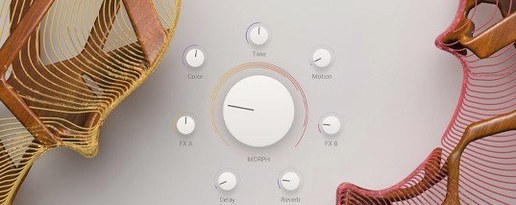
Holding the Option key while dragging a macro knob snaps it to its default position. That is undocumented on the interface but works across every control that Arturia mapped for quick tweaking. If you perform live and use a hardware controller, the MIDI Learn button in the top bar accepts assignments without opening a settings panel — just click, wiggle a physical fader, and the mapping sticks for the current preset or for all presets, depending on the dropdown you choose afterward.
The Playlist feature, tucked into the browser sidebar, lets you queue up to 128 presets in a setlist order. Stepping through them with a footswitch or a single key command turns Analog Lab V into a capable live-performance rig that never touches the mouse. Another detail: the plugin remembers whether you last used the Studio or Stage view, so performers who always want the larger macro knobs on launch can set it once and forget it.
Kontakt demands deeper editing, Analog Lab plays instantly
Native Instruments Kontakt and Analog Lab V solve different problems, but the overlap in preset-playback territory invites comparison. Kontakt is a sampler platform first, with deep editing and third-party library support that dwarfs what Arturia offers. It also demands more RAM and disk management. Analog Lab V never asks you to relocate missing samples or tweak a mapping editor; it loads a preset and presents eight macro controls with zero friction. For composers who need a finished pad in ten seconds, that difference alone decides the session template.
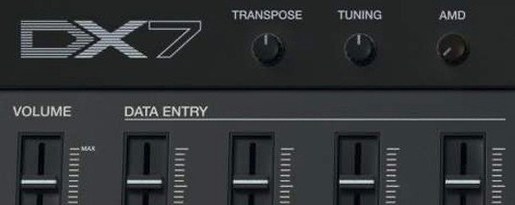
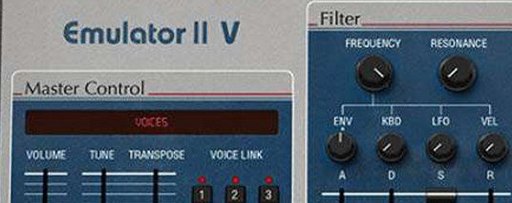
UVI Workstation ships with a leaner factory library but shares the "play-only" philosophy. UVI's sound design leans toward hybrid and cinematic textures, while Arturia's catalog is anchored in analog-modeled synth emulations and classic keyboard recreations. Workstation loads Falcon expansion sounds but does not expose Falcon's synthesis engine. Analog Lab V has a similar relationship with the V Collection: unless you own the full instruments, the deeper editing panels remain locked, but the macro view still gives you meaningful timbral control over filter, envelope, and effects.
Korg Gadget on the desktop occupies the opposite end of the spectrum. It is a self-contained production environment with its own sequencer and a roster of bite-sized synths. Analog Lab V works as a plugin inside any DAW and does not try to be a studio within a studio. The number of included sounds is not comparable — Gadget offers about 40 instruments, while the Arturia ecosystem pulls from over 30 modeled titles with thousands of patches.
Offline mode keeps every installed preset available
Does it work without an internet connection? Once authorized, the plugin runs offline indefinitely. The browser will not fetch new sound packs or sync playlists until you reconnect, but every installed preset remains available. Some users on production forums keep an offline studio machine and report no timeout or re-authorization prompts after the initial setup.
Can I use it on stage with a MIDI controller? Absolutely. The Stage view mode enlarges the four performance macro knobs and the preset name, making it readable from a keyboard stand. Program change messages switch presets, and the Playlist function mentioned earlier handles setlist navigation without touching the laptop. Latency depends on your buffer size, not on the plugin itself — it adds no additional processing overhead beyond what the preset calls for.
Will my old sessions break if I upgrade? Arturia has kept the plugin ID consistent across major versions, so projects that referenced Analog Lab 4 recall the newer plugin without manual reassignment. The preset database structure changed between generations, so a handful of very old third-party banks may need re-importing, but factory content maps forward cleanly.
How much disk space does it really need? The installer asks for a substantial chunk, but the plugin streams samples on demand and does not preload every instrument. If disk space is tight, you can deselect individual instrument banks during installation and add them later through the Arturia Software Center. The core application itself is modest; the sound content determines the footprint.
A dedicated buffer size often silences clicks on older Macs
Open the preferences panel (the gear icon in the top-right corner) and look for Audio Buffer Size. The default is usually set to match your host, but switching it to a dedicated value sometimes resolves clicks on older Intel Macs when running the standalone version. The MIDI Channel setting defaulting to "All" works for most setups, but locking it to a specific channel prevents accidental double-triggering if you have multiple controllers connected.
Under the Browser tab, enable Auto-Select First Result. With that on, typing a search term and pressing Enter immediately loads the top match without an extra click. The Favorite Sync toggle should be on if you use more than one machine, but turn it off if you share a studio computer — otherwise your ratings can merge with someone else's.
In the Interface section, the Default View dropdown between Studio and Stage is worth setting to match your primary use case. The High-DPI mode is on by default and looks sharp on Retina displays, but disabling it on an external 1080p monitor sometimes improves text legibility in the browser. The Accelerated Graphics toggle rarely causes issues on modern Macs, though a few users report smoother animation with it off on machines running integrated Intel graphics under macOS Ventura.
Both Intel and Apple Silicon Macs are supported, as long as the machine runs macOS 11 or later.
Arturia shipped Analog Lab V Pro 5.12.6 with compatibility for the new MiniFreak V 5 and AstroLab 2.0 hardware. The update also reworks how software updates are processed, strengthens device connection stability, and improves file transfer reliability. Arturia recommends installing this version of Analog Lab before updating an AstroLab unit.
- macOS 11 or later
- Apple Silicon or Intel 64-bit processor
- Version
- 5.12.6
- Download
- 2 GB
- Developer
- Arturia
- Languages
- English
- Activation
- K'ed by LOST
- Compatibility
- macOS 11 or later
- Architecture
- Apple Silicon, Intel 64-bit
Sign in or open a desk account to write a letter.
No letters on this brief yet. They are read before they run.




 Top
Top