

Arturia FX Collection 2026.02 Mac
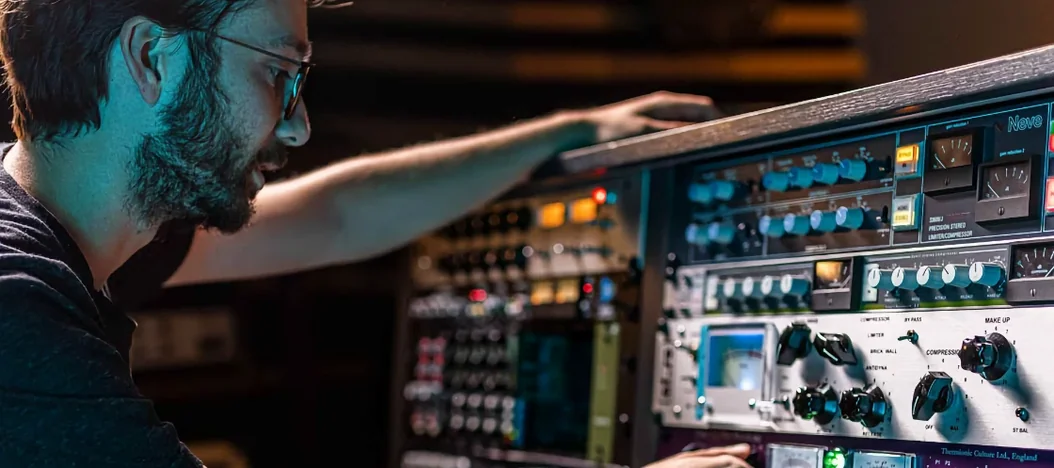
A producer sits with a dry drum stem, looking for something beyond a standard reverb to place the kit in a convincing room and add a little grit to the overheads. They reach for a channel strip emulation, dial in the preamp, and the track starts to breathe. That is the kind of work Arturia FX Collection is built for — shaping sounds, sculpting mixes, and finishing tracks with a suite of audio effects.
Modeled hardware chains with a browsable preset vault
- Producers who want hands-on, modeled hardware tones inside a DAW.
- Mixing engineers building chains from classic compressors, EQs, and reverbs.
- Sound designers needing modern processors alongside vintage emulations.
- Anyone who values a large, browsable preset library for starting points.
No AAX support in this release
- AAX plug-in format is not functional in this release, according to the distributor.
- The collection runs on AU and VST3 formats under macOS 11 and later.
Widening a drum bus with Bus Transient first
A producer loads a finished arrangement — drums, bass, keys, two guitar tracks, and a vocal — and decides the mix needs width and movement before the final limiter. They start on the drum bus, dropping a Bus Transient instance into the first insert slot. The threshold comes down until the attack lights flicker on snare hits, and the release gets nudged shorter to avoid sucking the life out of the room mics. Ten seconds of A/B testing confirms the kick punches harder without the cymbals getting brittle.
Next, the bass track gets the Tape J-37. The producer pushes the input gain until the virtual VU meter hovers around zero, then backs off the high-frequency EQ on the tape section to roll off string noise that was poking through the amp sim. The low-end compression the plugin introduces by nature tightens the bottom octave so the bass and kick stop fighting. No additional sidechain needed.
On the vocal, they audition three Efx Ambient presets before settling on a grainy hall with a low-cut around 400 Hz. The wet/dry mix sits at 30 percent, just enough to push the voice back into a space without washing out consonants. A quick automation lane pulls the mix down to 15 percent during the verse and up to 40 percent in the chorus — two clicks in the DAW, done.
The keys track has been sitting flat in mono. The producer inserts the Pitch Shifter-910, hard-pans the dry signal left, and dials a 9-cent detune on the right channel. The stereo image opens immediately, and the track no longer masks the guitars. A final pass through the Mix Drums channel strip on the master bus adds half a decibel of transformer-style saturation, and the session prints.
Same tag-based browser as Arturia synths
The collection slots into any workflow that leans on AU or VST3 hosts. Producers who already use Arturia synthesizers will recognise the preset browser — the same tag-based search, star ratings, and playlist folders carry across, so building a favourites list of go-to channel-strip settings or modulation patches takes the same muscle memory.
On macOS, the plugins respect the system-wide Audio Unit cache, so hosts like Logic Pro, Ableton Live, and Reaper scan them alongside built-in effects. MIDI-learn assignments for macro controls can be mapped to any controller that sends CC messages, including the knobs on an Arturia KeyLab or a generic fader bank. Because the suite installs as individual plugins rather than a monolithic shell, you can drop a single compressor into a lightweight tracking session without loading the entire collection into RAM.
Parallel processing setups benefit from the wet/dry mix present on most modules. Instead of routing aux sends in the DAW, a producer can blend a crushed Distressor-style compression directly in the plugin window on the snare close mic, keeping the session tidy. For sound designers working in a post-production context, the modulation effects — phasers, flangers, chorus — sync to host tempo when a project calls for timed sweeps against picture edits.
Double-click any knob to reset it
- Double-clicking any knob returns it to its default value. This works across the entire collection and saves time when a tweak has wandered too far.
- The output trim on the Tape J-37 can be linked to the input gain inversely. Push the input harder and the output compensates, keeping perceived loudness constant while you drive the tape harder.
- Presets can be auditioned with the arrow keys when the browser panel is open. No mouse clicks required to step through a folder of 40 reverb patches while the transport runs.
- The Efx Ambient module includes a freeze function. Hold a chord on a synth pad, click freeze, and the reverb tail sustains indefinitely — useful for creating transition textures between song sections.
- Several dynamics processors include a sidechain filter that can be tuned with a single knob, rather than requiring a separate EQ on the key input. The Bus Transient's detector filter lives right on the front panel.
Pushing the Tape J-37 past subtle saturation
The most common slip is treating every instance of the Tape J-37 as a subtle saturator. The plugin models a machine that, when pushed, compresses aggressively and rolls off top end. Beginners loading it on a full mix often hear the high-frequency loss and assume something is broken, then compensate with an EQ afterward. The fix is to check the tape formula switch and the EQ curve before adding make-up processing.
Another frequent misstep involves the Pitch Shifter-910. New users sometimes dial in wide intervals — octaves or fifths — and expect a clean doubling effect. The algorithm draws from early digital pitch hardware, which has a grainy, characterful quality. Pushing it too far on a lead vocal introduces artefacts that may work on a synth but sound unintentional on a natural voice. Keeping shifts under 30 cents and using the feedback control sparingly produces more usable results.
With the Mix Drums channel strip, beginners often skip the parallel compression blend knob and instead drive the compressor threshold deep into the signal, then wonder why the transients disappear. The strip is designed to be blended — the dry signal path stays intact, and the compressor section works best when mixed in parallel rather than used as an inline insert at full wet.
Finally, users coming from other plugin suites sometimes overlook the format limitation. AAX does not function in this release, which catches out producers who default to Pro Tools and expect the collection to appear in their insert menus. Sticking to AU or VST3 hosts avoids the headache entirely.
Arturia announced FX Collection 6 on February 19, 2026. The 2026.02 package brings two new modeled units to the suite: Tape J-37, a reel-to-reel tape machine emulation, and Mix Drums, a dedicated drum processing tool.
- macOS 11 or later
- Apple Silicon or Intel processor
- Version
- 2026.02
- Download
- 16.1 GB
- Developer
- Arturia
- Languages
- English
- Activation
- Included
- Compatibility
- macOS 11 or later
- Architecture
- Apple Silicon, Intel 64-bit
Questions readers asked
Per the Russian distribution page, AU and VST3 plug-in formats work in this version, while AAX support is not available.
Yes, the collection supports ARM-based Apple Silicon processors as well as 64-bit Intel, running on macOS 11 and later.
Sign in or open a desk account to write a letter.
No letters on this brief yet. They are read before they run.


 Top
Top