

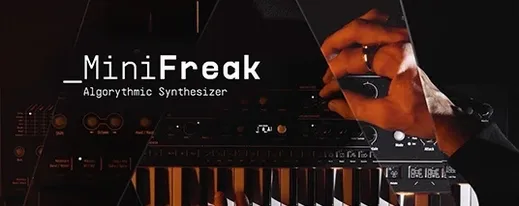
Arturia MiniFreak V 5.1.1 Mac
Keyboard players and producers who already work with the hardware MiniFreak tend to reach for the plugin version when a session moves entirely into the DAW. It is the same hybrid architecture — digital oscillators running into modeled analog filters — but without the desk space.
What does the oscillator section do to a sound?
The digital voices give the engine its sharper, glassier starting points, while the modeled analog filters round off the top end in a way that sits further back in a dense arrangement. As of version 5.0.0.6875, user sample and wavetable import extend those starting points beyond the factory set.
How do the effects slots change the character?
Three FX slots run in series, and the full stereo processing keeps modulation tails wide even when the core patch is mono. The Seq & Arp section pushes those effects into rhythmic territory without needing a separate MIDI pattern.
Where does the hardware fit in?
MiniFreak V can be mapped to the physical controls on the MiniFreak, so filter sweeps and envelope changes stay tactile. Presets also move between the hardware and the plugin, which keeps a live set and a studio session using the same sound sources.
Give the modulation matrix a workout in the first sessions. Pick a simple two-oscillator patch, then route a slow random LFO to the filter cutoff and a fast triangle LFO to oscillator pitch at about ten percent depth. The sound stays recognizable but gains a flickering, unstable quality that works well on arpeggiated lines. Save the result as a new preset immediately — the matrix routings do not always survive a casual scroll to the next patch.
Another early habit worth forming: check the voice-allocation behaviour with long-release pads. The polyphonic engine can stack notes until the CPU spikes, especially when three effects slots are running dense reverbs. Setting a sensible voice limit in the settings panel before a heavy arrangement keeps the playback clean without hunting for the culprit later.
Broken, lo-fi character arrives faster than in Pigments
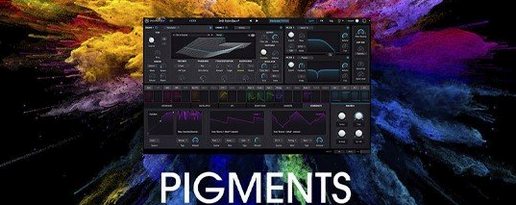
Against Arturia Pigments, MiniFreak V feels narrower in scope — Pigments offers four engines and a more elaborate effects rack — but the MiniFreak path is quicker. A producer who wants a sound that is slightly broken, slightly lo-fi, and moving in three directions at once can get there in half the clicks. Pigments rewards deeper sound design sessions; MiniFreak V rewards speed.
Next to u-he Diva, the filter character is the clearest split. Diva models classic analog circuits with a warmth that can dominate a mix. MiniFreak V uses modeled analog filters too, but they arrive after a digital oscillator section that never quite loses its edge. The result is less vintage-correct and more immediate in a track that already has a bass-heavy synth doing the foundational work.
Compared with Native Instruments Massive X, the modulation approach differs enough to matter. Massive X leans on a semi-modular routing panel and a vast wavetable engine; MiniFreak V puts the mod matrix and the sequencer-arp closer to the surface. For rhythmic modulation that follows a key change without reprogramming, MiniFreak V often gets there first.
Blank interface fixed by a silent resource-pack repair
A blank interface on first launch usually means the plugin cannot find its resources after activation. Quit the DAW, open Arturia Software Center, and let it verify the installation — a missing resource pack triggers a silent repair that resolves the blank screen within a minute.
Preset browsing can turn sluggish when the library holds a large number of user patches alongside the factory set. Moving older user presets into a subfolder outside the main scanning path, then symlinking only the current batch back in, keeps the browser responsive without deleting anything.
When the hardware MiniFreak is connected by USB and the plugin seems to ignore knob movements, the usual fix is a MIDI port conflict. Open the plugin’s MIDI settings, confirm MiniFreak V is assigned only to the MiniFreak device ports and not also to a DAW “All Inputs” stream — doubling the messages can appear as an unresponsive control surface.
Arturia has posted MiniFreak V 5.1.1 (6945) without a public change log for this build, so the specifics are under wraps. Users can expect the usual round of under-the-hood fixes and stability work that a point release typically brings.
- macOS 11 (Big Sur) or later
- Apple Silicon or Intel 64-bit processor
- Version
- 5.1.1 (6945)
- Download
- 468 MB
- Developer
- Arturia
- Languages
- English
- Activation
- K'ed by MORiA
- Compatibility
- macOS 11 or later
- Architecture
- Apple Silicon, Intel 64-bit
Sign in or open a desk account to write a letter.
No letters on this brief yet. They are read before they run.


 Top
Top