

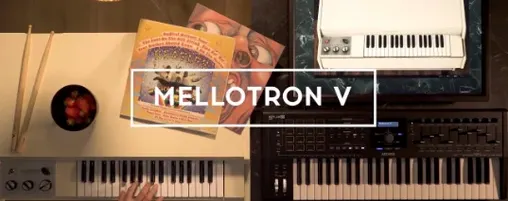
Arturia Mellotron V 1.9.3 Mac
The Tape Speed knob is where the character lives. Pull it down a few cents and a string patch gains a woozy, water-damaged drift that pulls a mix sideways. Push it up and a flute bank takes on the brittle edge of a machine running too fast after a long night. Arturia modelled the motor inertia and wow-and-flutter mechanics so those speed changes react like a physical capstan — nothing settles instantly.
| Detail | Spec |
|---|---|
| Format | 64-bit VST, AU, AAX |
| Tape banks | 65 original Mellotron and Chamberlin sources |
| User samples | Up to 8 per track, loadable alongside factory tapes |
| Architecture | Apple Silicon and Intel native |
The sample architecture sets it apart from a straight ROMpler. A single track can blend two factory tape voices with six of your own samples — field recordings, synth pads, a vocal phrase. That combination lands somewhere between a traditional keyboard and a crude multi-sampler, and the results sound less like a plug-in and more like a patchbay wired into a tape machine. Version 1.9.3 tidied up the preset and playlist naming, so building and recalling those custom banks no longer crashes the host. Browsing feels steadier now, and marking a favourite preset sticks across sessions. The 65 onboard tape banks cover the expected strings, choirs and flutes, but the real draw is how far the mechanics let you push them before they fall apart.
Custom playlists no longer vanish from saved projects
Before the update, calling up a project that used custom playlists was a coin flip. You might see your carefully named set of tape blends, or you might see an empty slot where it should be. The playlist visibility fixes mean a saved project now recalls its playlist arrangement the first time, every time — even after you remove and reinstall the instrument for a fresh system build. That single change cuts out the kind of friction that made some producers keep a screenshot of their playlist layout on a second monitor.
Preset search got faster and less literal. Typing a fragment of a name now returns results without demanding the exact spelling Arturia's preset designers used. The shuffle-for-favorites sorting bug — where a marked preset would appear out of alphabetical order when shuffle was active — has been straightened out. Small things, but they add up to less time clicking through a browser and more time playing.
User-sample slots turn it into a felt-piano or beyond
Does it only do those grainy 1960s string sounds? The 65 factory tape banks give you the classic Mellotron and Chamberlin palette, yes. But the per-track user-sample slots turn it into something broader. Drag in a WAV of a felt piano, a guitar harmonic, or a drum loop pitched across 96 chromatic semitones, and the instrument's mechanical engine — tape age, motor speed, noise floor — treats it like original tape stock. It is less a nostalgia box and more a degradation engine with a recognizable front panel.
Will it run alongside my other Arturia instruments without conflict? The 1.9.3 build plays well inside Arturia's own ecosystem. Because it shares the same preset browser architecture as the V Collection, favorite-preset management and playlist naming now follow the same conventions. No more guessing whether a renamed preset will crash the DAW when you switch between Analog Lab and the standalone Mellotron V window.
Is user-sample loading a gimmick or genuinely useful? It becomes useful the moment you realize you can blend two factory flutes with six percussion hits mapped across the upper octaves. The track row splits into 96 chromatic semitones regardless of source, so a single key range can fire factory choir, a user ambient pad, and a vinyl crackle sample simultaneously. The tape speed, wow, and flutter apply across the whole track, tying the disparate sources together under one mechanical signature.
Lengthen the release to match the original tape ring-out
The ADSR envelope is set to a polite, fast-decay keyboard response out of the box. Immediately lengthen the release stage on the choir and string patches. The original tapes rang out longer than the default suggests, and cutting the release too early robs the sound of the natural tape decay that Mellotron recordings are famous for.
Head into the mechanical controls and raise the Tape Age parameter to about 40 percent. At zero, the emulation sounds almost too clean — a brand-new Mellotron fresh from the factory floor, which never existed in practice. At 40, the high-end rolls off gently and the noise floor ticks up just enough to sit behind a lead vocal without competing. The Motor Inertia setting deserves a nudge upward as well if you play chords with slow attack; it introduces a fractional lag on note starts that mimics tape needing a moment to reach speed.
If you work with a lot of user samples, rebuild the default track template to include two user slots pre-loaded with silent WAV files. That way, every new track starts with the routing ready, and you can swap in actual samples without navigating the track-configuration panel mid-session. The 1.9.3 playlist improvements mean that template will survive a reinstall, too.
Version 1.9.3 focuses on stability under the hood. Preset naming and playlist editing were the main beneficiaries — naming a preset or a playlist no longer triggers a crash, and the playlist editor received workflow improvements. Favourite preset management and preset search both feel quicker and more predictable after this round of bug fixes.
- macOS 11 or later
- 64-bit host (VST, AU, or AAX)
- Apple Silicon or Intel processor
- Version
- 1.9.3 (5306)
- Download
- 2.1 GB
- Developer
- Arturia
- Languages
- English
- Activation
- Included
- Compatibility
- macOS 11 or later
- Architecture
- Apple Silicon, Intel 64-bit
Questions readers asked
Yes. Each track supports up to 8 user samples, or a combination of 2 factory tape voices and 6 user samples.
It runs as a native 64-bit plug-in on both Apple Silicon and Intel Macs, requiring macOS 11 or later.
The instrument ships with 65 original tape banks sourced from Mellotron and Chamberlin libraries.
Sign in or open a desk account to write a letter.
No letters on this brief yet. They are read before they run.


 Top
Top