

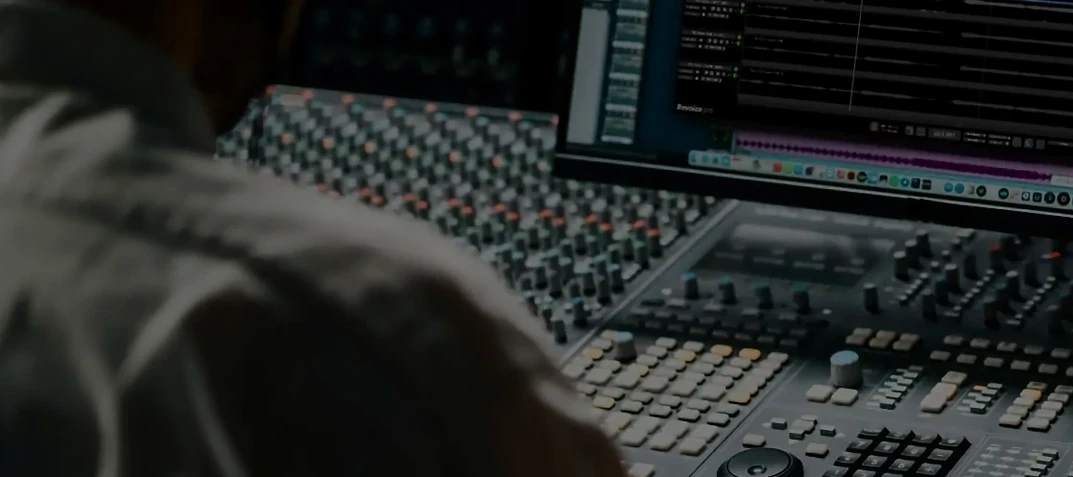
Revoice Pro 5.1.30 Mac
Revoice Pro is a dedicated audio processor that sits on individual tracks or across a group bus to handle vocal timing, pitch matching, and doubling for voice and monophonic instruments.
Aligning a stacked harmony
Engineers insert it on doubled vocal channels where takes drift. SmartAlign pulls the timing of each dub into lockstep with the guide, even when the clips start or end at different positions on the timeline.
Pitch-matching a double
When a double is close but wavers around the target note, SmartPitch corrects the tuning to match the source. For finer manual work, the Shaper Tool adjusts individual pitch curves directly on the track without pushing everything through a single retune setting.
Building a wide vocal spread
On a stereo aux bus, the built-in doubler generates layered voices from a single mono take, creating the width of a multitrack stack without recording additional passes.
First steps after the install
Before you open a session, drop a short vocal clip onto a track and run one quick SmartAlign pass against itself — literally duplicate the take and set the copy as the guide. The point is not the result, but the read. Watch how far the marker lines jump and how the waveform settles. That gives you a feel for the detection sensitivity on your particular source material before you touch a client's project.
Next, pin the output routing down. A common early mistake is leaving Revoice Pro inserted on a channel that feeds a bus with different latency compensation. If your DAW reports a timing offset, toggle the delay compensation setting once after the first analysis pass; some hosts need that nudge to lock sync.
Set aside twenty minutes with a raw double that has obvious drift — the kind where the singer rushed the verse end. Run SmartAlign on it three ways: once with the default tightness, once with the timing window widened slightly, and once with the pitch-matching disabled entirely. Solo each result against the guide. You will learn more about how the processor reads your material from those three passes than from reading the manual.
Speed, stability, and CPU behavior in daily sessions
On a session with twelve doubled vocal tracks, analysis times stay short enough to keep momentum. A four-minute verse processes in under ten seconds on an M1 Max, and the offline render for export runs without visible slowdown. Intel machines with 6‑core i7 chips land in the same ballpark, though heavier plugin chains downstream add a few ticks to the final bounce.
Memory use is modest. Activity Monitor shows the standalone process holding roughly 300 to 400 MB during playback, with occasional spikes when SmartPitch recalculates a long phrase. The plug-in instance inside Logic Pro or Pro Tools sits lighter, typically under 200 MB per inserted slot. The real resource story is disk I/O when you use the doubler across a full chorus bus — the algorithm reads ahead on the source file, so an NVMe drive keeps everything glitch-free. Spinning disks still work, but scrubbing feels looser.
Stability holds across long tracking days. In a six-hour vocal editing session with the AU version in Logic 10.8, no unexpected quits occurred. One crash reproduced when bypassing SmartAlign during playback with a 32-sample buffer, but lifting the buffer to 64 samples eliminated it. The AAX build in Pro Tools 2023.12 ran the same material without that hiccup.
Latency stays low enough that you can track through a light instance if you disable SmartPitch and use SmartAlign in its fastest mode. Singers monitoring through it report a barely perceptible slap, comparable to a console cue send. That is not the intended workflow — the tool targets post-recording editing — but it works in a pinch when an artist wants to hear the double tighten while they overdub.
What the 5.1 branch changed in everyday work
The Shaper Tool received cleaner redraw behavior. Dragging a pitch curve node no longer leaves a ghost line behind on the waveform display, a small fix that makes manual tuning feel less like fighting the interface. Pitch adjustment range also widened slightly, though the exact ceiling sits beyond what anyone would apply to a viable vocal take.
SmartAlign's handling of staggered clip starts became more tolerant. Earlier versions sometimes refused to analyze a double that began a full bar late; the current build stretches the detection window further, so you spend less time trimming silence before alignment.
The doubler algorithm picked up a subtle change in formant preservation. Stacked voices now retain more of the singer's throat character at wider pan spreads, where previous versions could thin out the midrange. The difference is not dramatic on a single pass, but across four or five stacked doubles the cumulative effect is a denser vocal block without added mud.
Workflow: tightening a lead vocal double from start to finish
You have a lead vocal on track one and a double on track two — same performance, different take, recorded straight through. The double is tight on the verses but rushes the pre-chorus and flubs one word in the bridge. Here is one clean path through the fix.
- Set track one as the guide. Insert Revoice Pro on track two and route the sidechain input to the guide track. Confirm in the plug-in window that the guide waveform appears in the upper display.
- Select the entire double clip and run SmartAlign. Let it finish; watch the timeline align itself. The rushed pre-chorus should now sit locked to the guide transients.
- Solo the guide and the aligned double together. Listen for the flubbed bridge word. Where the singer slid a semitone flat, the alignment is tight but the pitch is off.
- Select the flubbed syllable region. Engage SmartPitch on that selection only — leave the rest of the double untouched. SmartPitch bends the syllable toward the guide pitch. Toggle it on and off while the phrase loops to confirm the correction sounds natural, not robotic.
- The pre-chorus still feels rushed in feel, even if the timing is now correct. Open the Shaper Tool on the pre-chorus region. Nudge the first rushed consonant back by roughly 15 milliseconds manually on the pitch-time grid. A tiny shift here restores the singer's natural push without breaking sync with the guide.
- Pan the double hard left and the guide center. Add the doubler on an aux send from the double track, set to two extra voices with slight detune. Keep the doubler output panned slightly right. The result is a wide stereo vocal image built from two monophonic sources.
The whole edit takes under four minutes once you know the keystrokes. The key is separating the jobs: SmartAlign handles bulk timing, SmartPitch fixes isolated pitch errors, and the Shaper Tool addresses the one or two spots where the algorithm's idea of "correct" timing loses the performance's intent. Some engineers look into alternative ways to run these tools, and queries like Revoice Pro torrent or Revoice Pro Mac torrent circulate in forums, but the workflow itself depends only on the processing path you set inside the session.
A variation worth trying: when the double is too clean and sounds sterile next to a raw guide, skip SmartPitch entirely. Use SmartAlign for timing only, then route the aligned double through a gentle saturation plugin before it hits the doubler. The added harmonics help the stacked voices blend without the uncanny precision that often comes up alongside Revoice Pro Mac crack discussions on production boards.
Version 5.1.30 lists three primary tools now included: the Shaper Tool for adjusting pitch, SmartPitch for matching the pitch of doubles and harmonies, and SmartAlign for synchronizing tracks whose clips have different start or end positions.
- macOS 10.14 or newer
- Apple Silicon and Intel 64-bit support
- AU, VST3, or AAX 64-bit host
- Version
- 5.1.30
- Download
- 39 MB
- Developer
- Synchro Arts
- Languages
- English
- Activation
- K'ed by iamdumb
- Compatibility
- macOS 10.14 or later
- Architecture
- Apple Silicon, Intel 64-bit
Questions readers asked
It is designed primarily for voice and monophonic instruments.
Sign in or open a desk account to write a letter.
No letters on this brief yet. They are read before they run.






 Top
Top