

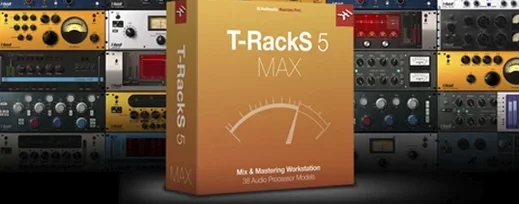
T-RackS 6.3.2 Mac
T-RackS occupies the space between a channel strip and a full mastering desk — anyone who has stacked compressors and equalizers in a DAW will recognize the workflow, just consolidated into one window with a redesigned interface.
Shape a bus with Dyna-Mu and EQual
The Dyna-Mu compressor and EQual equalizer are two of the four processors added to the lineup. Dyna-Mu leans on a variable-mu style of gain reduction, while EQual handles surgical and broad tonal shifts without leaving the rack.
Match a reference with Master Match
Master Match analyzes a reference track and applies an EQ curve to bring the working mix closer to that profile. The results land as a starting point rather than a finished move, which keeps the decision in the engineer's hands.
Finish the master with dithering and export
Four selectable dithering options cover output for different delivery targets, and multi-format file export handles the final handoff. Album assembly with sequencing and metadata embedding rounds out the mastering console side of the package.
Assemble a drum bus from scratch
Start with a stereo drum group routed to T-RackS inside the DAW. Insert EQual first and pull a gentle high-pass at 40 Hz to clean up subsonic rumble from the kick. A broad 2 dB dip around 400 Hz clears boxiness without thinning the snare body. Next in the chain, drop in the Dyna-Mu and set the attack slow — 30 ms works for most rock kits — so transients punch through before the needle clamps down. Ratio stays at 2:1, threshold nudged until the meter shows 3 to 4 dB of reduction on the loudest backbeats. The release time wants to breathe with the tempo; 0.6 seconds or auto-release both work. Finally, slot ONE at the end of the chain as a parallel saturator, mix knob at 35%, to glue the transients with a touch of harmonic density that doesn't smear the cymbals.
Bypass the whole rack and toggle it back in. The difference should be a drum bus that hits harder and sits flatter, ready for the master fader.
A mixing session, moment by moment
Open a project with sixteen tracks of live band stems. The mastering console launches as a standalone window, and the first move is dragging the reference mix for the album into Master Match. The analysis takes roughly twenty seconds, and the resulting curve suggests a 1.5 dB lift at 10 kHz with a narrow cut at 250 Hz. Apply it at 60% strength — full strength tilts the vocal too bright on this particular recording.
With the broad strokes in place, the session shifts to the modular chain. A bass-heavy mix calls for the EQual in mid-side mode, dipping the sides at 120 Hz by 2 dB to tighten the stereo image without losing weight in the center. The Dyna-Mu follows with a sidechain filter set to 90 Hz so the kick doesn't pump the whole mix. Gain reduction hovers around 2 dB, just enough to knit the chorus sections together. Two slots remain empty in the chain, left for creative moves that might come after a coffee break and a fresh listen.
The final stretch is assembly. The project has four songs tracked as separate sessions, and the album assembly view sequences them with 2.5-second gaps. Metadata goes in — track titles, artist name, ISRC codes — and the export dialog is set to 44.1 kHz WAV with MBIT+ dithering for the streaming master, then again at 48 kHz for the video sync. Two clicks, and T-RackS writes all formats in one pass.
Latency spikes when you chain the plugin across DAW tracks
Latency stacking in a DAW. Loading T-RackS as a plugin suite across multiple tracks can introduce noticeable delay, especially with linear-phase modes engaged. The fix is to use the standalone Mastering Console for final processing and keep the DAW inserts to individual processors only when tracking is complete, or to freeze tracks before adding the suite.
Master Match curve applied at defaults. A fresh analysis often suggests dramatic EQ moves that sound impressive in the first ten seconds but fatiguing after a full playthrough. Dial the Amount slider back to 40–60% and toggle the matched curve on and off every few minutes to check whether the correction is still helping.
Dyna-Mu pumping on bass-heavy material. The compressor can grab low-end information and make the whole mix duck with every kick hit. Enable the sidechain filter inside the Dyna-Mu and set the cutoff between 80 and 120 Hz. The low end still drives the detector but without overreacting to sub frequencies.
Missing plug-ins after updating. After moving to version 6.3.2, some users report that older sessions can't find the T-RackS plug-in. The Module Manager in the new interface scans installed processors; run a rescan from the manager and verify that the AU and VST 3 paths point to the correct folders. A full host restart after the rescan usually restores the insert assignments.
Swap to 32-bit float processing before you touch the chain
The default processing chain opens with a flat layout that benefits from three immediate tweaks. First, set the global processing resolution to 32-bit floating point in the audio preferences — the overhead is minimal on Apple Silicon Macs and the headroom matters when stacking multiple processors. Second, assign the dithering default to MBIT+ for any project destined for 16-bit delivery; the noise-shaping curve stays cleaner than the older flat-TPDF option on quiet passages. Third, disable the auto-normalize toggle in the export panel. Normalizing after a mastering chain often clips intersample peaks that were already managed by the final limiter, and leaving it off keeps the crest factor exactly as the engineer set it.
For those working with the plugin versions inside a DAW, open the Module Manager and hide any processors that never get used. A trimmed rack loads faster and removes the distraction of scrolling past processors that don't fit the current workflow. The manager also reveals which modules are installed and which are still in demo mode, giving a clear map of the available tools before a session starts.
- macOS 10.15 Catalina or later
- 64-bit Intel or Apple Silicon processor
- 64-bit operating system
- Version
- 6.3.2
- Download
- 2.3 GB
- Developer
- IK Multimedia
- Languages
- English
- Activation
- K'ed by MORiA
- Compatibility
- macOS 10.15 or later
- Architecture
- Apple Silicon, Intel 64-bit
Questions readers asked
It is a mixing and mastering software package from IK Multimedia, available as a standalone Mastering Console or as plug-ins in a DAW.
It supports Audio Units, VST 3, and AAX, along with standalone and separate plug-in formats for audio devices.
Version 6 adds four processors: Master Match, Dyna-Mu, EQual, and ONE.
Sign in or open a desk account to write a letter.
No letters on this brief yet. They are read before they run.




 Top
Top